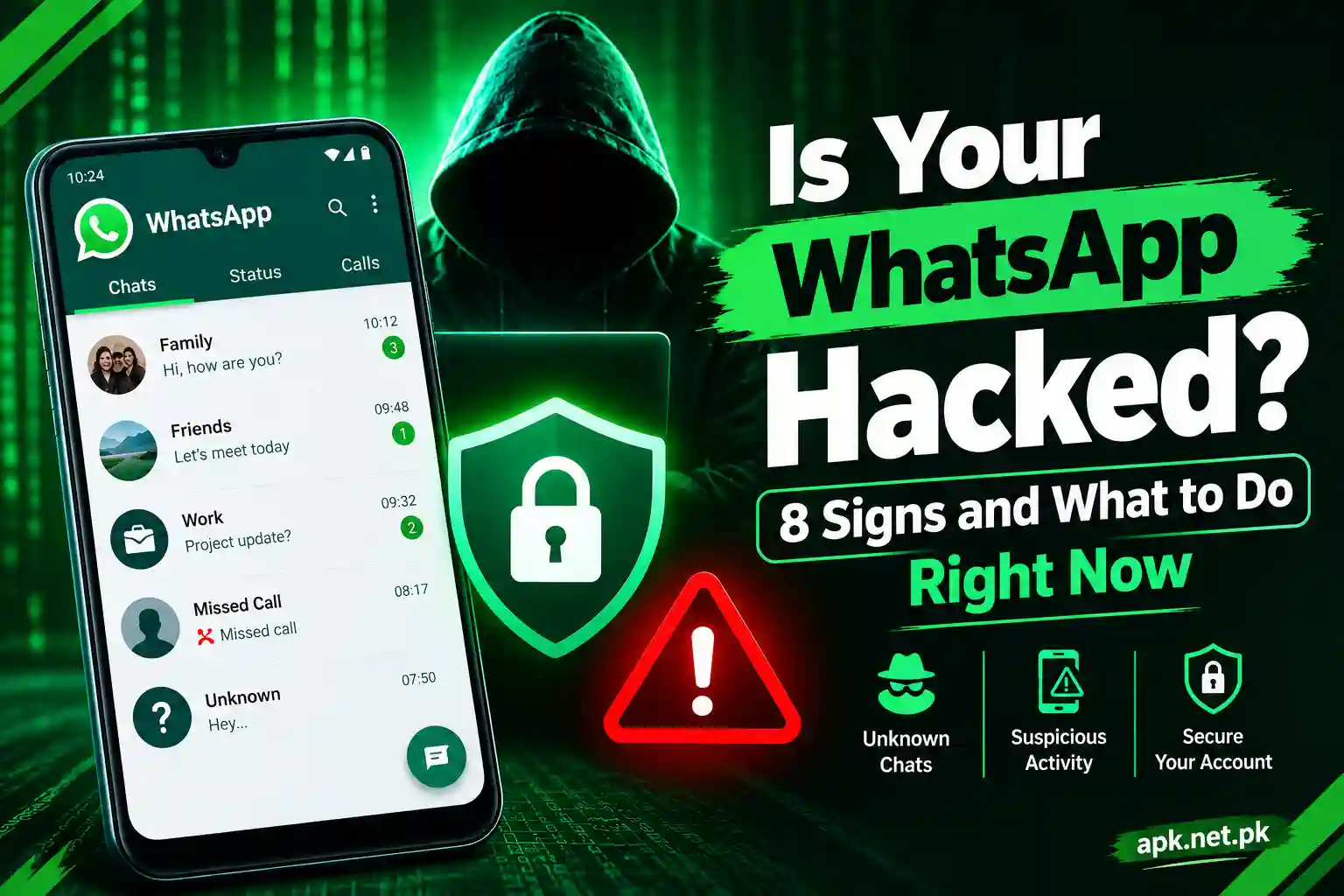
Is Your GB WhatsApp Hacked? 8 Signs and What to Do Right Now
Your friends say you sent them a strange link. Your phone feels hot while it sits idle. Then WhatsApp asks for a PIN you never created. Now you wonder: is my GB WhatsApp hacked?
Short answer: it can be, and you can check in about two minutes. This guide shows you 8 clear warning signs and a 7 step recovery plan. It also covers the part most guides skip. With GB WhatsApp, the app itself can be the weak spot, not only your account.
You will also learn how to tell a hack from a ban, how criminals get in, and which helpline to call in Pakistan.
Can GB WhatsApp Really Get Hacked?
Yes. Two different things can go wrong, and you need to know which one you face.
Problem one: someone takes over your account
Your phone number works as your WhatsApp login. If a criminal gets your six digit code, tricks you into linking their device, or swaps your SIM, they control your chats. This happens on the official app too. Encryption protects messages in transit, but it cannot protect an account that a criminal has signed in to.
Problem two: the app carries bad code
GB WhatsApp is a modified copy of WhatsApp from a third party developer. WhatsApp says it cannot validate the security practices of unsupported apps like this. Kaspersky has also found infected mods in the wild, including builds that used the names GBWhatsApp and WhatsApp Plus. The app risk section below shows the details.
Sometimes both problems connect. A bad app steals your account keys, and a criminal then uses your account.
8 Signs Your GB WhatsApp Is Hacked
Check these signs in order. Signs 2, 3, 5, and 6 usually mean someone else has access right now, so treat any one of them as urgent.
Sign 1: Messages you never sent
Open your chats and look for messages or media you do not remember sending. Also look for chats marked as read when you have not opened them, and for new groups or contacts you did not create.
Before you panic, read the GB feature table in the next section. Auto reply and the message scheduler can send text without you touching the phone.
Sign 2: A linked device you do not recognize
Linked devices lists every browser, computer, or tablet signed in to your account. On Android, tap the three dots, then Linked devices. On iPhone, open Settings, then Linked Devices. Tap any unknown entry and choose Log out.
A criminal on this list can read your chats and see new messages as they arrive. Your phone keeps working normally, which hides the problem.
Some GB WhatsApp builds show this screen differently or hide it. If you cannot find it, you cannot audit your sessions from inside the app. That alone is a good reason to follow Step 3 of the recovery plan.
Do you link a computer on purpose? Our GB WhatsApp Web linking guide shows what a normal link looks like, so a strange one stands out.
Sign 3: Verification codes you never requested
An SMS with a six digit WhatsApp code arrives and you did not ask for it. Someone is trying to register your number on another phone. The code alone does not give them access, but your reply might.
Never share the code. Not with a friend, a courier, or a person who claims to work for WhatsApp. NCCIA officials in Pakistan say that sharing OTPs remains the main reason WhatsApp accounts get hacked here.
Sign 4: A sudden logout or a “number moved” message
WhatsApp allows one phone per number. If the app logs you out and says your number now runs on a new device, someone may have registered it elsewhere. Read the exact wording. A ban notice reads differently, and the next section explains how.
Sign 5: A two step PIN you never created
You enter the SMS code and WhatsApp asks for a PIN or password you do not know. The attacker probably turned on two step verification. WhatsApp makes you wait seven days before you can register again without that PIN. Entering the correct SMS code already logged the attacker out, so waiting is safe. The locked out section below walks you through it.
Sign 6: Friends report odd messages from you
Contacts say you sent a link, asked for money, or shared a “photo”. The GhostPairing scam spreads this way. A message from a friend promises a photo, a fake page asks you to verify, and you unknowingly approve the attacker’s device. Gen Digital researchers first saw this campaign in late 2025, and India’s CERT In has warned about it.
Also check whether your profile photo, name, or About text changed without your input.
Sign 7: Your phone behaves oddly
Watch for fast battery drain, heat while idle, pop up ads, higher data use, or mobile balance that vanishes. The Triada trojan, found inside infected WhatsApp mods, showed ads and signed victims up for paid subscriptions without asking. If charges look odd, ask your network provider to list your active subscriptions.
Sign 8: Security tools flag the app or its permissions look excessive
Run a Google Play Protect scan. Then open Settings, Apps, GB WhatsApp, Permissions. SMS access deserves extra attention because it lets malware read your verification codes. Next, open Accessibility and Notification access, and look for apps you do not remember installing.
Kaspersky found a spy module in mods named GBWhatsApp that started when the phone powered on or began charging. So symptoms may appear only at certain moments.
Hacked, Banned, or Just a GB Feature?
Not every strange event means a hack. GB WhatsApp adds extras that mimic hacking signs, and WhatsApp bans unsupported apps. This table helps you sort what you see.
| What you see | Likely cause | Hack? | Best next move |
|---|---|---|---|
| Ban notice | WhatsApp detected an unsupported app | No, a ban | Back up chats, then switch to the official app |
| Scheduled texts | GB message scheduler or auto reply sends text for you | Usually no | Delete scheduled messages and auto replies in GB settings |
| Odd read receipts | GB privacy extras such as hidden ticks or frozen last seen | No | Review GB privacy settings |
| Unrequested SMS code | Someone typed your number into WhatsApp | An attempt | Share nothing and turn on two step verification |
| Unknown linked device | Phishing pairing or a scanned QR code | Yes | Log out the device, then register your number again |
| PIN you never set | Attacker turned on two step verification | Yes | Wait seven days, then register again |
| Number moved message | Someone registered your number on another phone | Yes | Register again with the SMS code |
| Ads and strange charges | Malicious code inside the APK | Likely malware | Uninstall, scan, and check subscriptions |
WhatsApp’s help center says an in app message that your account is temporarily banned means you likely use an unsupported version. The company states these apps break its Terms of Service. If you ignore the notice and keep using the mod, you risk a permanent ban. So back up your chats and move to the official app.
What to Do Right Now: 7 Step Recovery Plan
Work through these steps in order. Most people finish in about 15 minutes.
- Warn your contacts first. Use a phone call, SMS, or another app. Tell people to ignore money requests, links, and code requests from your number. Every minute you wait lets the attacker reach more people.
- Log out unknown devices. If you can still open the app, go to Linked devices and log out every entry you do not recognize. This cuts off GhostPairing style access at once.
- Back up, then switch to the official app. In GB WhatsApp, tap More options, then Chats, then Back up chats. Find the GB WhatsApp folder in your file manager and copy it somewhere safe. Next, install the official WhatsApp from the Google Play Store and verify your number with the six digit code. This step matters most, because registering your number on one phone signs out every other session. Mod backups do not always restore cleanly, so keep the copied folder until you confirm your chats.
- Remove GB WhatsApp and check what it left behind. Uninstall the app. Then open Settings and review three lists: Install unknown apps, Accessibility, and Notification access. Remove permission from anything you do not trust. Delete old APK files from your Downloads and Telegram folders.
- Scan and clean the phone. Run Google Play Protect, then run a second scan with a mobile security app from a known brand. If ads or battery drain continue, copy your photos and contacts and do a factory reset. Do not restore apps from any backup that contains the old APK.
- Lock the account with two step verification. In the official app, open Settings, Account, Two step verification, and turn it on. Pick a PIN you use nowhere else and add a recovery email you can access. Then check Linked devices once more.
- Secure your money and logins. Change your email and Google account passwords, then review recent sign in activity. If your chats held bank details, call your bank. If you use JazzCash or Easypaisa, check recent transactions and change your wallet PIN. Ask your network whether anyone changed your SIM.
A message you can send your contacts
Copy this and send it by SMS or call: “My WhatsApp was hacked. Please ignore any message from my number that asked for money, codes, or clicks. Do not open links from me until I confirm. I am fixing it now.”
If You Are Locked Out of Your Account
Sometimes you cannot even open the app. These are the common cases and the fix for each. WhatsApp explains the official process on its stolen accounts help page.
WhatsApp asks for a PIN you never set
The attacker set it. Wait seven days, then register your number again. After that, WhatsApp lets you sign in without the PIN, and you can create your own.
The SMS code never arrives
Check that your SIM has signal and that your phone is not blocking messages. Request the code by phone call instead of SMS. Try again at different times of the day. If nothing works, contact WhatsApp support from the help center.
Your phone or SIM is lost or stolen
Call your network and block the SIM. Get a replacement SIM with the same number, then register WhatsApp on the new phone. You can also email WhatsApp support with the subject “Lost/Stolen: Please deactivate my account” and include your number in international format.
WhatsApp says your number is no longer registered
Someone moved it to another phone. Register again with the SMS code. That action signs the other person out immediately.
How Hackers Get Into GB WhatsApp Accounts
Four routes cause nearly every case. Knowing them helps you spot the trap before you step into it.
Code theft. A scammer messages you as a friend, a courier, or WhatsApp support. They claim they sent a code to you by mistake and ask you to share it.
Ghost linking. A fake page claims to show a photo or video and asks you to verify. It walks you through WhatsApp’s own device linking, and you approve the attacker’s browser.
Infected app. A modified APK carries hidden code. It asks for SMS access, steals the keys that run your account, or pushes ads and paid subscriptions.
SIM swap or stolen phone. A criminal convinces a network to move your number to a new SIM, or steals your phone outright.
Phishing and unsecured public WiFi add smaller risks. Fake login pages and strange links can lead to Path 02, so treat them as the front door to the bigger attacks above.
The Bigger Risk: The App Itself
Official WhatsApp reaches you through a vetted store. A mod does not. When you install GB WhatsApp, you trust the mod developer and every website that hands you the file. Security researchers have shown how that trust can break.
What researchers found inside WhatsApp mods
Kaspersky found the Triada trojan inside FMWhatsApp in 2021. In 2022, it found YoWhatsApp carrying the same trojan, plus code that stole the keys WhatsApp needs to run an account. It targeted more than 3,600 users in two months. Attackers pushed that app through ads inside popular apps, as Securelist explains in detail.
Later, Kaspersky described the CanesSpy spyware. It hid inside mods using the names GBWhatsApp, WhatsApp Plus, and AZE PLUS, and spread through Telegram channels and mod websites. Read the CanesSpy report for the technical side.
In April 2025, Doctor Web reported crypto stealing clippers hidden in a modified WhatsApp that criminals preinstalled on some budget Android phones. One variant also sent your photos to a server to hunt for crypto wallet recovery phrases.
Why you may not notice
An infected mod still works. It gives you the extra features it promised, so nothing feels wrong. A Kaspersky expert made this point when researchers found the FMWhatsApp trojan. That is why a clean looking app proves nothing.
Fake and outdated versions raise the odds
Copycat sites copy popular mod names and add their own code. Old builds also miss fixes. Compare any file you plan to install with the original GB WhatsApp version, and check the latest GB WhatsApp update before you trust a download link from an ad or a chat.
How to Stop It From Happening Again
These habits take minutes to set up and block most attacks.
- Turn on two step verification. Add a recovery email you can reach. A PIN that attackers cannot set or change shuts down several takeover tricks.
- Never share a six digit code. WhatsApp never asks you for it, and neither does anyone legitimate.
- Link devices only on your own computer. Before you scan a QR code or type a pairing code, ask who told you to do it.
- Check Linked devices weekly. It takes ten seconds.
- Lock the app. Use fingerprint or face unlock inside WhatsApp, and keep a strong screen lock on the phone.
- Call before you click. If a friend sends a “photo” link out of nowhere, phone them first.
- Install from sources you can trace. Skip APK links in ads, Telegram groups, and pop ups.
- Protect your SIM. Ask your network about SIM change alerts and use a SIM lock PIN.
- Skip unsecured public WiFi when you register or restore your account.
Where to Report a WhatsApp Hack in Pakistan
Pakistan turned the FIA Cybercrime Wing into the National Cyber Crime Investigation Agency (NCCIA) in April 2025. The agency runs a helpline at 1799 for hacking, identity theft, online fraud, and harassment.
NCCIA officials said cybercrime rose about 35 percent in 2025, with WhatsApp hacking and digital fraud among the drivers. The agency also treats blackmail and leaking private chats or images as crimes, so report them instead of paying.
Prepare your evidence before you call. Take screenshots of the strange messages, your Linked devices screen, the unrequested SMS codes, and any payment receipts. If money left your account, call your bank, JazzCash, or Easypaisa right away too.
GB WhatsApp Hacked: Frequently Asked Questions
How do I know if my GB WhatsApp is hacked?
Look for messages you never sent, unknown devices under Linked devices, SMS codes you did not request, a PIN you never set, sudden logouts, and friends reporting strange messages from you. Also watch for ads, battery drain, odd mobile charges, and unusual app permissions. Two or more signs mean you should start recovery.
Can someone hack my GB WhatsApp with only my phone number?
A number alone does not give access. The attacker also needs your six digit code, your approval of a linked device, or control of your SIM. Criminals use tricks to get one of these. That is why you should never share a code and should turn on two step verification.
Can GB WhatsApp be hacked without an OTP?
Yes. The GhostPairing scam tricks you into linking the attacker’s device, so no code theft is needed. An infected mod can also steal the keys that run your account. Both methods skip the SMS code, so check Linked devices and your app permissions.
Can a hacker read my GB WhatsApp messages?
Yes, if they control a linked device or stole your account keys. Researchers say GhostPairing gives access to past and current messages and media. Encryption cannot stop this because the attacker acts as you. Remove the device and register your number again as fast as you can.
Is my GB WhatsApp hacked or banned?
A ban shows an in app message that your account is temporarily banned, which WhatsApp links to unsupported apps. A hack shows signs like unknown devices, unrequested codes, or a PIN you never set. You can have both at once. If you see the ban message, back up your chats and switch to the official app.
How do I log out of all devices on GB WhatsApp?
Open Linked devices, tap each unknown device, and choose Log out. For a full reset, install the official WhatsApp and register your number with the six digit code. WhatsApp allows one phone per number, so registering signs out every other session.
Does uninstalling GB WhatsApp remove the hacker?
Not by itself. Uninstalling removes the app from your phone, but it does not end a linked device session or give your number back. Register your number again in the official WhatsApp, then turn on two step verification. If the app carried malware, scan the phone as well.
Will I lose my chats if I switch to the official WhatsApp?
You can keep them if you back up first. In GB WhatsApp, tap More options, Chats, then Back up chats, and copy the GB WhatsApp folder. Mod backups do not always restore cleanly, so keep the copied folder until you confirm your chats.
How long does it take to recover a hacked account?
Often only a few minutes, because registering with the six digit SMS code signs the attacker out. If the attacker set a PIN you do not know, WhatsApp makes you wait seven days before you can register without it.
What if I lost my SIM or cannot get the SMS code?
Ask your network to block the lost SIM and issue a replacement with the same number. Then register WhatsApp on the new SIM. For a lost or stolen phone, email WhatsApp support with the subject “Lost/Stolen: Please deactivate my account” and add your number in international format.
Can antivirus detect a hacked GB WhatsApp?
Sometimes. Security experts note that infected mods still work as promised, so users rarely spot the problem. Run a scan, but also check app permissions, Linked devices, and your mobile charges.
Is it safe to keep using GB WhatsApp after a hack?
The official app is the safest choice, because WhatsApp cannot validate the security of modified apps. If you still want GB WhatsApp, install a fresh copy from a source you can trace, keep it updated, deny permissions it does not need, and turn on two step verification if your version supports it.
Who should I report a WhatsApp hack to in Pakistan?
Call the NCCIA cybercrime helpline at 1799. Keep screenshots of chats, linked devices, SMS codes, and any payment receipts. If money left your bank or wallet, call your bank, JazzCash, or Easypaisa right away too.
Bottom Line
A hacked GB WhatsApp has two possible causes, and you can check both in 15 minutes. Open Linked devices, watch for codes you never requested, and review the app’s permissions.
If you find a problem, warn your contacts, register your number again in the official app, and turn on two step verification. Then clean your phone and secure your money. The official app stays the safest home for your chats, and if you choose GB WhatsApp anyway, treat every download as untrusted until you can trace it.