
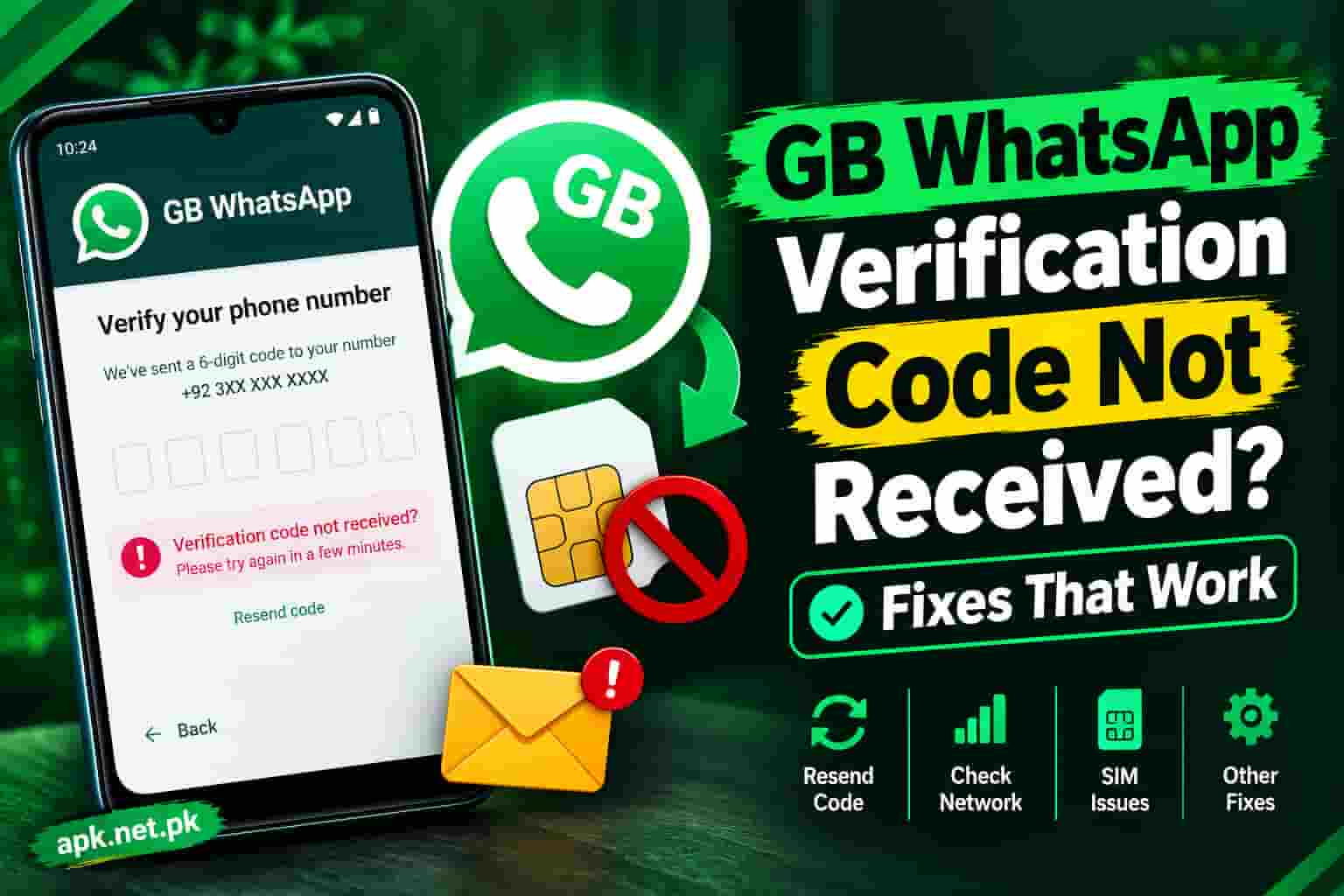
GB WhatsApp Verification Code Not Received? Fixes That Work
Your GB WhatsApp verification code is not coming, and the timer keeps ticking. Take a breath. This problem has a short list of causes, and you can fix almost all of them in a few minutes. Most failures come from five places: an old GB WhatsApp build, a weak SIM signal, a wrong number format, too many code requests, or a block on the number itself. This guide walks you through every fix in the right order, so you stop guessing and start logging in. If your build is old, download the safe GB WhatsApp APK first, then come back to the steps below.
Why GB WhatsApp Does Not Send Your Verification Code
First, understand the process. When you enter your number, the app asks WhatsApp servers for a registration code. The servers send a 6 digit code to that number by SMS or voice call. You type the code, and the app links your number to your account.
GB WhatsApp is an unofficial, modified app. It is not made by WhatsApp or Meta. Because of that, the servers treat it with more suspicion than the official app. That one fact explains many failures that official WhatsApp users never see.
Here are the real causes, matched to the fastest fix.
| Symptom | Likely cause | Best fix |
|---|---|---|
| No SMS at all | Weak signal, full inbox, or SMS blocked on the SIM | Fixes 1, 2, and 3 |
| Timer ends, no Call me button | Too many requests on this number | Wait out the cooldown, then use Call me |
| Instant error after tapping Next | Outdated GB build or flagged number | Fixes 5 and 6 |
| Code works, then login fails | Server rejects the modified app | See the error messages section |
| Code never arrives abroad | Roaming or foreign network limits | Fix 11 and the travel notes |
| Wrong code message | Old code, typo, or code from another request | Request one fresh code and enter it once |
| Code arrives, you did not ask | Someone typed your number | Read the security section |
Every extra code request can lengthen the wait. Work through the fixes below before you tap Resend again and again.
The 2 Minute Checklist Before You Try Anything Else
Many failed verifications come from small slips. So check these five points first.
- Country code: Pick the right country. For Pakistan, that is +92.
- No leading zero: Type 3001234567, not 03001234567. WhatsApp asks you to skip the zero.
- SIM slot: Make sure the number you typed sits in your phone right now.
- Signal bars: Confirm you can receive a normal SMS or call on that SIM.
- Your own number: Ask a friend to text you. If their text arrives, the SIM works.
Next, stop tapping Resend. Wait for the timer on screen. Entering codes or requesting them too often can slow confirmation down, and guides based on WhatsApp’s registration steps say the wait can reach about 10 minutes.
12 Fixes in the Right Order
I arranged these from the quickest and safest to the more drastic. Follow the order. Stop as soon as the code arrives.
Group one: fix the phone
- Restart the phone. Turn it off, wait 30 seconds, and turn it on again. This refreshes the network connection and clears stuck SMS services.
- Toggle airplane mode. Switch it on for 10 seconds, then off. Your phone then re registers with the nearest tower.
- Clear your SMS clutter. A full message inbox can block new texts. Delete old threads. Then open the Spam and Blocked folder in your Messages app, because the code sometimes lands there.
- Check blocked numbers. WhatsApp sends codes from a number tied to your country. If you blocked unknown or international senders, unblock them for now.
Group two: fix the app
- Install the latest build. An old GB WhatsApp version often fails at this exact step, because the servers reject it. Check the latest GB WhatsApp update and install it over the old one.
- Allow every permission. Open Settings, then Apps, then GB WhatsApp, then Permissions. Allow SMS, Phone, and Contacts. Without SMS access, the app cannot read the code.
- Clear the cache. Go to Settings, Apps, GB WhatsApp, Storage, then tap Clear cache. Do not tap Clear data, because that removes your local chat files.
- Turn off battery saver. Set GB WhatsApp to Unrestricted battery use. Aggressive power saving can kill the app while it waits for the code.
- Reinstall from a clean source. Back up first, uninstall, then install the APK again. Use only a trusted download, because fake builds put your number at risk. Our guide on whether GB WhatsApp is safe explains how to spot them.
Group three: fix the number and network
- Switch your connection. Move from WiFi to mobile data, or the reverse. Turn off any VPN. Also set the phone date and time to automatic.
- Test the number on another phone. Move the SIM to a second handset and request the code there. This separates a phone problem from a SIM problem.
- Call your carrier. Ask whether SMS from international short codes is active on your SIM. Also ask them to check for any SMS block on the line.
- Wait out the cooldown. If the app says to try again later, obey it. Users often report waits that grow after repeated requests. Try again only after the timer ends, then choose Call me.
Never pay a stranger for a code and never use random free OTP websites. Public numbers share every code with everyone who visits, so a stranger can take over your account.
Get the Code by Call, Missed Call, or Email
SMS is only one door. WhatsApp offers others, and some of them work when SMS fails. Which options appear depends on your app version and account.
The app sends a 6 digit text to your number. Most people use this first.
An automated voice reads the code. Write it down while you listen. If you miss the call, check your voicemail, because WhatsApp can leave the code there.
The app rings once and checks your call log. You type nothing. This option appears only for some numbers and regions.
If you added an email in your WhatsApp settings earlier, you may receive the code there when you register your number again.
Here is how to switch methods. On the verification screen, wait for the timer. Then tap Didn’t receive code, and pick Call me. Keep your phone near you and your ringer on.
GB WhatsApp Errors That Block the Code
Sometimes the code is not the problem. The servers block the login itself. Here are the messages you may see, and what each one means.
You need the official WhatsApp to log in
This message means WhatsApp servers refused the modified app. Your SIM and signal are fine. The servers simply do not trust the app on that number. Updating the app helps in some cases. In others, the number carries a flag, and no setting inside GB WhatsApp changes that.
Some users report a workaround: they log in to GB WhatsApp as a linked device. That route needs the official WhatsApp on a second phone to scan a QR code. Results vary, and WhatsApp can close this door at any time. So treat it as a temporary option, not a plan.
Login not available right now
This message usually appears after too many failed or repeated attempts. Stop, close the app, and leave it alone for several hours. Then request one code and enter it carefully.
Temporarily banned or account not allowed
If you see this, WhatsApp has flagged the account for using an unsupported app. The WhatsApp Help Center tells such users to move to the official app, because the ban can turn permanent. Gulf News covered WhatsApp’s warning and its steps for moving chats to the official app. For prevention, read our GB WhatsApp anti ban guide.
No trick forces WhatsApp to accept a modified app. If your number is flagged, the safest path is the official app. Section 10 shows how to move your chats.
Code Not Coming in Pakistan? Check These Carrier Fixes
Pakistani users face a few extra traps. The main networks are Jazz, Zong, Telenor, Ufone, and SCOM, and the steps below apply to all of them.
- Format the number right. Choose Pakistan (+92) and drop the leading zero. A number like 0300 becomes 300.
- Pick the right SIM on dual SIM phones. Set the SIM that holds your WhatsApp number as the default for SMS and calls, at least for a few minutes.
- Test a normal text. If a friend’s text does not reach you, the SIM has a network problem. Visit a franchise and ask them to check it.
- Keep the SIM active. A SIM with no balance or long inactivity may lose services. Make a short call and send one SMS.
- Ask about short code SMS. Ask your operator to confirm that the line can receive SMS from international senders and short codes.
- Try mobile data and WiFi both. Network congestion can also slow the app’s request. ProPakistani has reported WhatsApp issues on mobile data across all four major networks before, so a switch to WiFi can help.
If your operator cannot fix the line, you can raise a complaint through the Pakistan Telecommunication Authority after you contact the operator first.
Special Cases: Travel, Dual SIM, Old Numbers, and Virtual Numbers
You are traveling abroad
Roaming can block SMS and calls. WhatsApp’s own travel guidance suggests you turn on roaming and check your voicemail after you choose Call me. Roaming may add charges, so check your plan first. Read the WhatsApp Help Center guide for traveling users for the official steps. If roaming fails, use a local number you can reach by SMS or call.
You use the same number on two apps
A number registers on one phone at a time for the main account. If you install GB WhatsApp and the official app with the same number, the last registration wins and the other app logs out. So decide which app owns the number before you request a code. If account safety matters most to you, keep the number on the official app.
Your number is old or recycled
If you recently bought a SIM that someone else owned, that number may carry old flags. Try a different number if the code never arrives after several days.
You want to use a virtual number
This is risky. Many virtual numbers are shared, blocked by WhatsApp, or reused by strangers. A stranger can request your next login code and take your account. Use a real SIM that you control.
You changed phones
The code goes to the new phone you are registering on, not to the old one. WhatsApp may also ask you to wait before it sends another code. Wait out the timer, then choose Call me.
You Got a Code You Did Not Request
A surprise code means someone typed your number into WhatsApp. Most of the time, it is a mistake or a typo by a stranger. Sometimes it is an attempt to take your account.
- Do not share the code. WhatsApp never asks you for it. Anyone who asks is a scammer.
- Ignore it or delete it. The code expires on its own.
- Turn on two step verification. Open Settings, Account, Two step verification. Add a PIN and a recovery email. This blocks anyone who tries to register your number later.
- Check linked devices. Remove any device you do not recognize.
If your chats show messages you never sent, check your linked devices and change your two step PIN right away.
How to Stop This From Happening Again
Once you log in, protect that login. A few habits save you hours later.
- Back up often. Save your chats to local storage before you update or reinstall.
- Turn on two step verification with an email. The email gives you a second way to recover your account.
- Update on time. Install new GB WhatsApp builds soon after they release.
- Keep the SIM alive. Use it for a call or SMS every few weeks.
- Request one code at a time. Always wait for the timer to finish.
- Never share your code. This rule protects your whole account.
When Nothing Works: Your Backup Plan
Suppose you tried every fix and the code still does not arrive. Then you have three honest options.
- Try again tomorrow. Cooldowns clear with time. Request one code, choose Call me if needed, and stop there.
- Use another number. Pick a SIM you own that receives SMS and calls without trouble.
- Move to the official WhatsApp. In GB WhatsApp, open More options, then Chats, then Back up chats. Find the GB WhatsApp folder, rename it to WhatsApp, then install the official app and verify your number. WhatsApp describes this path for users of unsupported apps.
You can also contact WhatsApp support from the official app, and describe the steps you already tried.
GB WhatsApp Verification Code FAQs
Why is my GB WhatsApp verification code not coming?
The most common reasons are an outdated GB build, a weak SIM signal, a wrong number format, too many code requests, or a flag on your number. Fix the phone first, then update the app, then check the number and network.
How long should I wait for the GB WhatsApp code?
Wait for the full on screen timer before you try again. Some guides say the SMS can take up to 10 minutes. If the timer ends, tap Call me instead of requesting another SMS.
Can I get the GB WhatsApp verification code by call?
Yes. After the timer ends, tap Didn’t receive code, then choose Call me. An automated voice reads the 6 digit code. If you miss the call, check your voicemail.
Why does GB WhatsApp say you need the official WhatsApp to log in?
The WhatsApp servers rejected the modified app or flagged your number. Update the app, wait, and try once more. If the message stays, your safest choice is the official app.
Can I use GB WhatsApp without a verification code?
No, not for a normal login. The code proves you own the number. Some users log in as a linked device through a QR code from the official app, but this route is unreliable.
Can I use the same number on GB WhatsApp and official WhatsApp?
You can register a number on only one phone for the main account at a time. If you register the same number in both apps on one phone, the later registration usually logs the other app out.
Why does WhatsApp tell me to wait an hour to try again?
WhatsApp limits code requests for security. Too many tries trigger a cooldown, and users often report longer waits after more tries. Wait until the timer ends, then request the code once.
Does GB WhatsApp send the code by email?
Not by default. An email code can appear only if you added an email to your WhatsApp account earlier and the app offers that option when you register again.
Why did I get a WhatsApp code I did not request?
Someone probably typed your number by mistake, or tried to take your account. Never share the code. Turn on two step verification and check your linked devices.
Why is the WhatsApp code not arriving on Jazz, Zong, Telenor, or Ufone?
Check the +92 format without the leading zero, set the right default SIM on dual SIM phones, and test a normal SMS. Then ask your operator to confirm that the SIM can receive international and short code SMS.
Will clearing the cache delete my GB WhatsApp chats?
No. Clearing the cache removes temporary files only. Clearing data, however, removes local app data, so avoid it unless you have a backup.
Will a virtual number or free OTP site work?
It rarely works, and it is risky. Shared numbers expose your codes to strangers, and WhatsApp blocks many of them. Use a real SIM that you control.
Does reinstalling GB WhatsApp fix the verification problem?
It helps when the install is corrupted or old. Back up first, uninstall, then install a current build from a trusted source.
Is it safe to enter my verification code in GB WhatsApp?
The risk depends on the APK. A fake or tampered build can steal your code and your account. Download only from a source you trust, and read our safety guide first.
Can I verify GB WhatsApp on an iPhone?
GB WhatsApp is an Android app, so a normal verification on an iPhone does not apply. iPhone users should rely on the official WhatsApp app.
The Bottom Line
Most missing codes come down to a bad signal, a wrong number format, too many requests, or an old build. Start with the phone, then the app, then the network. Use Call me when SMS fails, and wait out every cooldown.
If the servers keep rejecting the modified app, trust the signal and move to the official app. Need a clean install? Get the safe GB WhatsApp APK here and start fresh.
One Comment