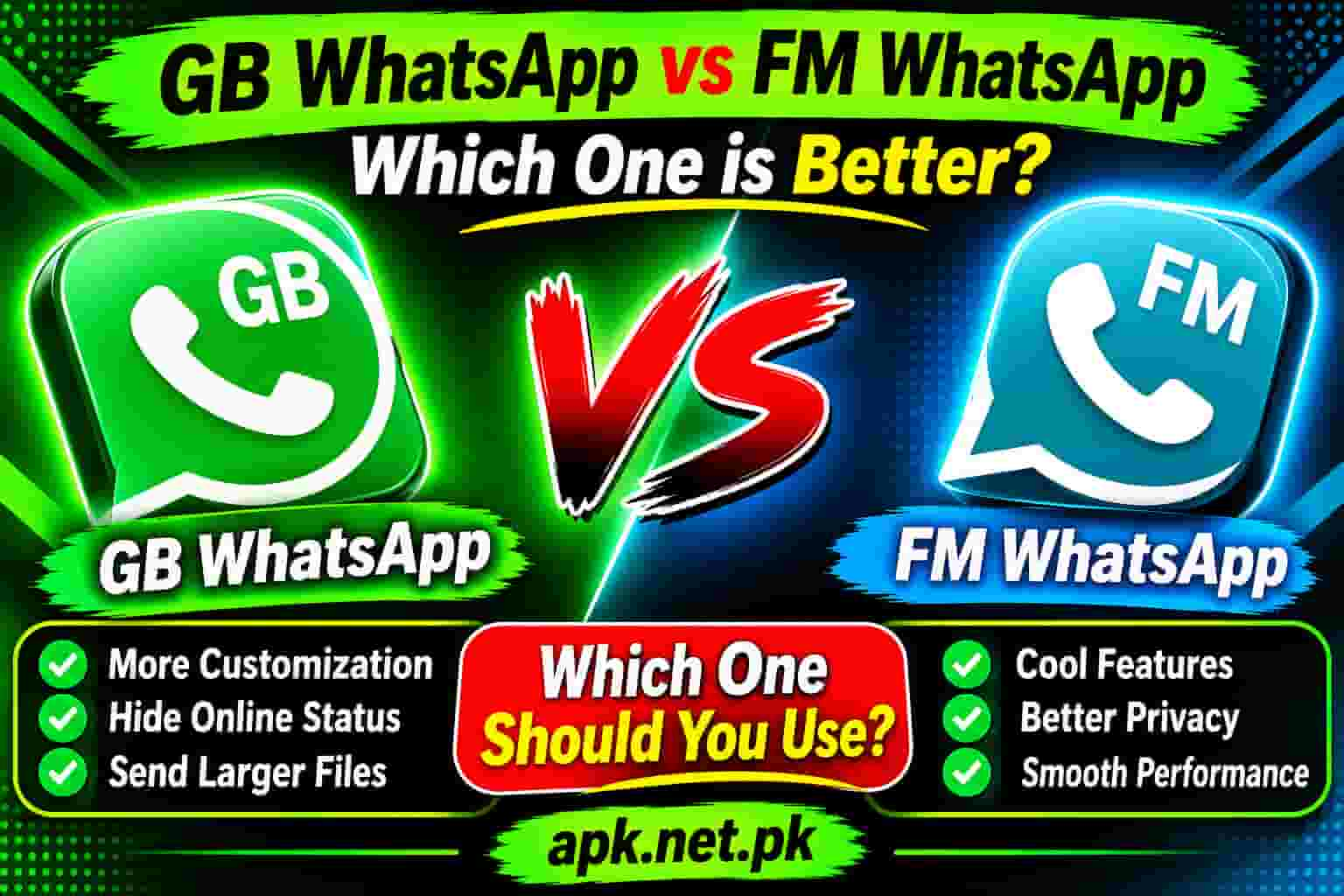
GB WhatsApp vs FM WhatsApp
Two mods dominate every WhatsApp modding conversation in 2026. GB WhatsApp and FM WhatsApp both sit far above the official app in terms of features, but they serve different users in different ways. If you want to know which one actually fits your life, this is the breakdown you have been looking for.
What Are GB WhatsApp and FM WhatsApp?
Both apps are unofficial modified versions of the original WhatsApp messenger. Developers take WhatsApp’s APK, reverse-engineer it, and add features that Meta has never offered in the official app. The result is a third-party client that uses your existing WhatsApp account and contacts, but gives you far more control over how the app looks, behaves, and protects your privacy.
GB WhatsApp has been around since roughly 2014 and has gone through several developer handoffs. Today it is primarily maintained by AlexMods and HeyMods. It became the most downloaded WhatsApp mod globally, with over 120 million active users, because it offers the widest raw feature set of any mod available.
FM WhatsApp is a different animal. It was built from scratch by a single developer named Fouad Mokdad, whose online handle is FouadMods. The FM literally stands for Fouad Mods. Fouad took a different philosophy: rather than packing in every possible feature, he focused on a cleaner interface, stronger privacy defaults, Ghost Mode, and a faster update cadence after Meta releases official WhatsApp updates.
Both apps violate WhatsApp’s Terms of Service. Meta does not authorize, support, or endorse them. Using either one carries a real risk of temporary or permanent account suspension. If you decide to use one, always download from a trusted source to avoid malware-laced mirror files.
That said, millions of people use these mods every day, and understanding the difference between them is exactly what this guide is here to give you.
Who Built These Apps and Why It Matters
The developer behind a mod APK matters more than most people realize. It affects how often the app gets updated, how quickly security patches arrive after a WhatsApp update, and how trustworthy the source is.
GB WhatsApp started with a developer called Atnfas Hoak in 2014. The project then passed through several hands before AlexMods and HeyMods took over. Because it is now a community-maintained project with multiple contributors, updates tend to come at irregular intervals but are tested across a large user base. That wide testing translates into better stability for the average user.
FM WhatsApp is the work of one person: Fouad Mokdad. He updates it every three to five weeks, which makes FM WhatsApp one of the fastest-updated mods available. When Meta pushes a new official WhatsApp version, Fouad typically releases a compatible FM WhatsApp update in a shorter window than GB WhatsApp’s update cycle. Fast updates mean fewer compatibility gaps and reduced ban exposure during transition periods.
What this means for you is straightforward. If you value a large, battle-tested user community and a proven track record, GB WhatsApp is the safer bet in that regard. If you want the person behind the app to have a name, a face, and a track record of rapid patching, FM WhatsApp is the more accountable choice.
GB WhatsApp vs FM WhatsApp: Full Feature Comparison
Here is the full side-by-side breakdown. Both apps share a large common feature set, but they differ in depth and emphasis across several areas.
| Feature | GB WhatsApp | FM WhatsApp |
|---|---|---|
| Developer | AlexMods / HeyMods | Fouad Mokdad (FouadMods) |
| Theme Library | 4,000+ via YoThemes | 1,000+ built-in themes |
| App Lock | Basic PIN / pattern | Fingerprint + PIN + pattern |
| Ghost Mode | No | Yes (per-app offline) |
| Dual Account Support | Yes (seamless) | Yes (less seamless) |
| Video File Limit | ~50 MB | Up to 700 MB |
| Audio File Limit | 100 MB | 100 MB |
| Images at Once | 90 images | 100 images |
| Anti-Delete Messages | Yes | Yes |
| Anti View Once | Yes | Yes |
| Message Scheduler | Yes | Yes |
| Hide Blue Ticks | Yes | Yes |
| Hide Typing Status | Yes | Yes |
| Freeze Last Seen | Yes | Yes |
| Block Calls (per contact) | No | Yes |
| Hide Media from Gallery | Yes | No |
| Group Member Limit | Up to 600 | Up to 1,000 |
| Message Forward Limit | Up to 500 contacts | Up to 500 contacts |
| Status Download | Yes | Yes |
| Custom Fonts | Yes | Yes |
| Custom Emoji Pack | No | Yes |
| Group-Specific Themes | No | Yes |
| Anti-Ban Protection | Yes (updated) | Yes (v10.10 improved) |
| Performance on Low-End Phones | Excellent | Good |
| Update Frequency | Moderate | Every 3 to 5 weeks |
| App Size | ~70 to 90 MB | ~70 to 95 MB |
| Platform | Android only | Android only |
Privacy Features: Where They Differ Most
Privacy is the number one reason most people switch to a WhatsApp mod in the first place. Both GB WhatsApp and FM WhatsApp give you far more control than the official app. But they take different approaches to how that control is delivered.
What Both Apps Share
At the core level, both mods let you hide your last seen from everyone or specific contacts, disable blue ticks so senders never know you read their message, hide your typing status and voice recording indicator, and view statuses without the uploader knowing. These are the basics that every mod user expects, and both apps deliver them reliably.
Where FM WhatsApp Goes Further
FM WhatsApp includes Ghost Mode, which puts only the WhatsApp component into an offline state without disconnecting your entire phone from the internet. This means you can use other apps normally while appearing completely offline on WhatsApp. No other popular mod offers this feature as a built-in, one-tap option.
FM WhatsApp also lets you block incoming calls from specific contacts without those contacts knowing they are blocked. The call appears to them as though it went unanswered. This level of selective call management is not available in GB WhatsApp’s standard privacy settings.
Where GB WhatsApp Goes Further
GB WhatsApp gives you more granular, per-contact control over almost every privacy setting. You can customize who sees your last seen, blue ticks, online status, and profile photo on a contact-by-contact basis rather than applying a blanket rule. This level of individual control is unmatched in FM WhatsApp.
GB WhatsApp also lets you hide specific media from your phone’s gallery so that images received in a particular chat never appear in your photo app. FM WhatsApp does not offer this feature.
Both apps are closed-source, unaudited APKs. The privacy features they offer are real and functional, but neither app has been verified by an independent security firm. For true end-to-end privacy, neither mod can guarantee your messages are as protected as they would be in the official Signal app. If you are going to use either mod, our guide on whether GB WhatsApp is safe explains the real-world risks clearly.
Customization: Themes, Fonts, and UI Control
Customization is where the two apps look most similar on paper but feel most different in practice.
GB WhatsApp: The Bigger Library, the Wider Canvas
GB WhatsApp gives you access to over 4,000 themes through the YoThemes integration. You can change almost every visual element of the app: chat bubble shape and color, background wallpaper per conversation, font style, font size, icon pack, notification bar style, and the navigation bar layout. If you want your WhatsApp to look like nothing else on the market, GB WhatsApp gives you the widest canvas to work with.
Beyond themes, GB WhatsApp lets you apply live wallpapers and animated themes to individual chats. The app treats customization as a core feature, not a secondary option, which is why it has built such a loyal following among users who care about how their apps look and feel.
To explore the full range of things you can change, our detailed breakdown of GB WhatsApp themes shows every option available in the current version.
FM WhatsApp: Cleaner Design, Smarter Customization
FM WhatsApp takes a more editorial approach. It offers around 1,000 themes built into its theme store, along with group-specific themes that let you apply a unique look to individual group chats. This is something GB WhatsApp does not support, and for users with active group chats, it is genuinely useful.
FM WhatsApp also includes a custom emoji pack that replaces the default system emojis with its own set. Combined with its navigation bar customization options, FM WhatsApp feels more like a redesigned app and less like a patched one. The settings menu is divided into cleaner sections, which makes finding a specific option faster and less frustrating.
The Real Difference
GB WhatsApp wins on volume and variety. FM WhatsApp wins on polish and structure. If you want to spend an afternoon building your perfect WhatsApp theme, GB is for you. If you want something that simply looks better out of the box with less tinkering, FM WhatsApp delivers that more consistently.
File Sharing Limits: FM WhatsApp Takes the Clear Lead
This is one of the clearest objective differences between the two mods, and it matters a lot depending on how you use WhatsApp.
The official WhatsApp app caps video files at around 100 MB. Both mods blow past that, but they land in very different places.
GB WhatsApp allows you to send video files up to 50 MB, audio files up to 100 MB, and documents up to 100 MB. It also lets you send up to 90 images at once without compression, compared to the 30-image limit in the official app. These are significant upgrades over the standard app.
FM WhatsApp pushes the ceiling far higher. Depending on the version, FM WhatsApp supports file transfers up to 700 MB per file, with some versions reporting limits as high as 1 GB. It supports sending up to 100 images at once. For anyone who regularly shares long video clips, high-resolution recordings, or large project files over WhatsApp, FM WhatsApp is the clear winner here.
Group sharing also differs. FM WhatsApp supports groups of up to 1,000 members, while GB WhatsApp caps groups at 600. If you manage large communities on WhatsApp, that difference matters.
Reported file limits vary between sources because each version updates these caps. What stays consistent is the direction: FM WhatsApp consistently offers a higher ceiling for large file transfers than GB WhatsApp. If this is your primary reason for choosing a mod, FM WhatsApp is the better pick.
Performance: Speed, Stability, and Device Compatibility
Performance is where GB WhatsApp has historically held an advantage, and that advantage still stands in 2026.
GB WhatsApp runs on a wider range of Android devices. It performs well on older and lower-spec phones because it has been optimized and stress-tested across a massive user base over many years. If you have a phone with limited RAM or an older processor, GB WhatsApp is less likely to lag when switching between chats or loading large media threads.
FM WhatsApp performs excellently on mid-range and high-end devices. Its design layer, while polished, adds a small overhead that can make it feel slightly heavier on underpowered hardware. On a modern Android phone with 4 GB of RAM or more, the difference is barely noticeable. On a 2 GB RAM device, GB WhatsApp tends to hold up better under sustained use.
Stability-wise, GB WhatsApp benefits from its larger community of testers who catch bugs quickly. FM WhatsApp benefits from Fouad Mokdad’s faster update release schedule, which means critical fixes arrive sooner. In practice, both apps are stable for daily use. Neither crashes frequently when you download the right version from a trusted source.
One important stability note: FM WhatsApp’s backup options include alternatives beyond Google Drive, which is an advantage if you want more flexibility in how you preserve your chat history. You can read a full walkthrough of the GB WhatsApp backup and restore process if you plan to switch between the two mods without losing your messages.
Anti-Ban Protection: What It Does and What It Cannot Do
Anti-ban is one of the most searched features in any WhatsApp mod comparison, and it is also one of the most misunderstood.
Both GB WhatsApp and FM WhatsApp include anti-ban technology in their latest versions. What this technology does is mask or suppress the client signals that Meta’s detection systems use to identify unofficial WhatsApp clients. When these signals are hidden, the mod appears more like a legitimate WhatsApp client, which reduces the chance that Meta’s automated systems flag and suspend your account.
GB WhatsApp updated its anti-ban system in its most recent 2026 release to address changes in Meta’s detection methods. FM WhatsApp v10.10 specifically focused on improving Ghost Mode reliability and anti-ban coverage, according to Fouad Mokdad’s own release notes. Both developers treat anti-ban as a continuous, evolving task because Meta also updates its detection methods regularly.
Here is the critical truth that both apps are honest about: anti-ban protection reduces the risk, but it does not remove it. Meta can and does suspend accounts that use unofficial clients. The ban can be temporary (usually 24 hours) or permanent. If you get a temporary ban, switching back to the official app and clearing the mod data typically resolves it. A permanent ban is unrecoverable.
Our full guide on GB WhatsApp anti-ban protection explains exactly how the technology works, what triggers bans, and how to minimize exposure while using any mod APK.
Security Risks: What You Need to Know Before Installing Either App
No comparison between GB WhatsApp and FM WhatsApp is complete without being direct about the risks. These are real, and they apply equally to both apps.
Account Suspension Risk
Meta’s Terms of Service explicitly prohibit the use of unofficial WhatsApp clients. By using either mod, you accept the possibility that your phone number could be temporarily or permanently banned from the WhatsApp network. Anti-ban measures help but do not eliminate this risk.
Malware Risk from Untrusted Sources
Neither app is available on the Google Play Store, which means you must sideload the APK from a third-party website. This is where the greatest danger lies. Malicious actors frequently create fake mirrors of popular mod APKs and inject spyware, adware, or keyloggers into the file. If you download GB WhatsApp or FM WhatsApp from a random search result or a Telegram channel you do not recognize, you have no way of knowing what is inside that APK.
Always download from established, well-known sources with a track record. For GB WhatsApp, our pillar page at apk.net.pk/gb-whatsapp is the safest place to get the current verified version. We scan every APK before publishing it.
Encryption Concerns
The official WhatsApp uses end-to-end encryption on a signed, verified client. When you use a modified APK, the encryption still works at the protocol level, but neither GB WhatsApp nor FM WhatsApp has been independently audited to verify that the modification process left the encryption layer completely intact. This is not a reason to panic, but it is a reason to be informed.
Data Privacy
FM WhatsApp has no published privacy policy. GB WhatsApp similarly provides no formal documentation of how the app handles your data. If you use either app for sensitive personal or business communication, factor this into your decision. If you notice anything suspicious after installing either mod, our guide on 8 signs your GB WhatsApp may be compromised gives you a clear diagnostic checklist.
Who Should Choose GB WhatsApp and Who Should Choose FM WhatsApp
After going through every dimension of this comparison, the answer is not that one app is objectively better. The answer is that each app is better for a different type of user. Here is the clearest way to think about it.
Choose GB WhatsApp If You Want
- The largest possible theme library with animated and live wallpaper support
- The most feature-rich experience overall, including tools like scheduled messages, copy multiple messages at once, and hiding specific media from your gallery
- Seamless dual account support where both accounts stay completely separate and stable
- The best performance on older or low-end Android devices
- The most widely tested and community-supported mod in the WhatsApp modding ecosystem
- Per-contact granular privacy controls that let you customize visibility for each individual contact
You can explore the complete feature set in our dedicated GB WhatsApp features breakdown before making your decision.
Choose FM WhatsApp If You Want
- A cleaner, more polished app interface that feels less cluttered and more intentional
- Ghost Mode so you can go invisible on WhatsApp without turning off your internet connection
- A built-in fingerprint and PIN app lock rather than relying on your phone’s screen lock
- Significantly larger file transfer limits, especially for video files up to 700 MB
- Group-specific themes that let individual group chats have their own visual identity
- The ability to block incoming calls from specific contacts without them knowing
- Faster update cycles from a single identified developer after each official WhatsApp release
Yes. As long as you use a different phone number for each app, both GB WhatsApp and FM WhatsApp can run on the same Android device at the same time. This is exactly what dual account support is designed for. Keep in mind that running multiple WhatsApp mods does increase your overall visibility to Meta’s detection systems.
Final Verdict: GB WhatsApp vs FM WhatsApp
After testing both apps across multiple devices and use cases, here is the honest verdict.
GB WhatsApp is the better choice if features and customization volume are what you care about most. It has the bigger theme library, the more comprehensive feature set, the smoother dual account experience, and the better performance on older hardware. It is the mod that the highest number of experienced mod users trust, and that community trust translates into faster bug discovery and a more stable daily experience.
FM WhatsApp is the better choice if you want a cleaner, faster-updating experience with specific advantages like Ghost Mode, a built-in fingerprint lock, larger file sharing limits, and group-level theme customization. If you manage large groups, share heavy video files regularly, or simply want a WhatsApp mod that feels more thoughtfully designed, FM WhatsApp delivers on those fronts.
Neither app is a risk-free choice. Both violate WhatsApp’s Terms of Service, and both carry real account suspension risk. The best way to reduce that risk is to always download from a source you can verify. For GB WhatsApp, start at apk.net.pk/gb-whatsapp for the safest and most current verified APK.
Frequently Asked Questions
What is the main difference between GB WhatsApp and FM WhatsApp?
GB WhatsApp focuses on deep customization, a massive theme library, and a broad feature set including schedule messages, anti-delete, and dual account support. FM WhatsApp, built by Fouad Mokdad, leans toward cleaner design, lightweight performance, a built-in app lock, and larger file sharing limits up to 700 MB. GB gives you more raw features; FM gives you a smoother, more polished experience.
Which is safer: GB WhatsApp or FM WhatsApp?
Neither app is fully safe by the standards of an official, audited application. Both violate WhatsApp’s Terms of Service and carry a real risk of temporary or permanent account bans. FM WhatsApp is developed by Fouad Mokdad, a known individual developer, which makes the source slightly more traceable. For GB WhatsApp, downloading from a trusted source like apk.net.pk reduces malware risk compared to random mirrors.
Can I use GB WhatsApp and FM WhatsApp at the same time?
Yes, you can run both on the same Android device as long as you use separate phone numbers for each. Each mod operates as a standalone app. However, running multiple WhatsApp mods simultaneously does increase the chance of Meta’s detection systems flagging your account.
Which app has better privacy features: GB WhatsApp or FM WhatsApp?
Both offer strong privacy controls including hiding last seen, disabling blue ticks, hiding typing status, and reading deleted messages. FM WhatsApp adds Ghost Mode and a built-in fingerprint or PIN lock. GB WhatsApp offers more granular per-contact privacy controls. For built-in app lock and Ghost Mode, FM WhatsApp leads. For per-contact customization, GB WhatsApp wins.
Which WhatsApp mod sends larger files: GB or FM WhatsApp?
FM WhatsApp generally allows larger file transfers, with reported limits ranging from 700 MB to 1 GB depending on the version. GB WhatsApp has historically capped video files at around 50 MB. If you regularly send large video files or documents, FM WhatsApp gives you significantly more room.
Does FM WhatsApp have anti-ban protection?
Yes. FM WhatsApp v10.10 includes improved anti-ban protection that hides the client signals Meta’s detection systems look for. However, anti-ban measures reduce the risk, they do not eliminate it. No WhatsApp mod can guarantee your account will never be suspended or permanently banned.
Who developed FM WhatsApp?
FM WhatsApp was developed by Fouad Mokdad, also known as FouadMods. The FM in the name literally stands for Fouad Mods. He has maintained and updated the app across multiple versions, with v10.10 being the most recent stable release as of 2026.
Which is better for performance on older Android phones?
GB WhatsApp generally runs better on older or low-end Android devices. Its architecture has been optimized for a wider hardware range and tested across a larger user base over more years. FM WhatsApp can feel slightly heavier in newer versions due to its expanded design layer.
Will I lose my chats if I switch from GB WhatsApp to FM WhatsApp?
Switching between mods can put your chat history at risk if you do not back up first. Before switching, back up your chats inside your current app, then restore them after installing the new one. The process is not always seamless between different mod APKs, so always back up to Google Drive or local storage before making the switch.
Which should I choose: GB WhatsApp or FM WhatsApp?
Choose GB WhatsApp if you want maximum customization options, a huge theme library, the most feature-rich experience, better performance on older devices, and seamless dual accounts. Choose FM WhatsApp if you want a cleaner UI, Ghost Mode, a built-in fingerprint lock, larger file sharing limits, and faster update cycles. Both carry real risks, so always download from a trusted source.