Golden WhatsApp Guide
Can Golden WhatsApp Ban My Account? Complete Analysis
Learn whether Golden WhatsApp can lead to account restrictions, why bans happen, and how users can reduce potential risks. This comprehensive guide is part of our complete Golden WhatsApp safety analysis.
Table of Contents
Quick Answer
Yes, using unofficial versions of WhatsApp like Golden WhatsApp may increase the risk of temporary or permanent account restrictions. Since Golden WhatsApp is not an official WhatsApp application, users should understand the risks before installing it. However, many users successfully use Golden WhatsApp without experiencing bans. The key is following best practices outlined in this guide and our comprehensive safety guide.
Can Golden WhatsApp Ban Your Account?
Golden WhatsApp is a modified version of WhatsApp that provides additional customization, privacy controls, and user features. However, it is not developed or officially supported by Meta (WhatsApp’s parent company).
Because it is a third-party modification, users may occasionally face account warnings, temporary restrictions, or compatibility issues. Policies and enforcement practices can change over time, which means there is always some level of risk when using unofficial messaging applications. Understanding this risk is crucial before downloading Golden WhatsApp.
The risk level varies based on several factors including:
- How actively Meta enforces policies against third-party apps
- Your account activity and behavior patterns
- How frequently you update the app
- Whether you use suspicious features extensively
- Your overall account history and verification status
For more details on Golden WhatsApp’s safety profile, read our in-depth Is Golden WhatsApp Safe analysis.
Why Do Account Restrictions Happen?
WhatsApp (now owned by Meta) actively works to detect and restrict the use of unofficial client applications. Here are the primary reasons for account restrictions when using Golden WhatsApp:
- Using unofficial messaging applications: Meta’s terms prohibit third-party clients. Golden WhatsApp violates this policy.
- Compatibility issues with official updates: As WhatsApp updates, older Golden WhatsApp versions may conflict with servers.
- Security concerns related to modified apps: Unofficial apps lack official security audits and oversight.
- Violations of platform policies: Third-party apps breach WhatsApp’s terms of service.
- Suspicious account activity: Patterns inconsistent with official app behavior trigger detection systems.
Meta’s detection systems have become increasingly sophisticated at identifying unofficial clients. For a complete safety overview, see our guide on identifying safe APK sources.
Common Reasons for Temporary Bans
Temporary restrictions are generally designed to encourage users to switch back to official applications. These bans typically last 24 hours to a few weeks, allowing users time to reinstall the official WhatsApp.
- Running outdated modified versions: Older Golden WhatsApp versions become incompatible with WhatsApp servers.
- Ignoring update notifications: Delayed updates increase detection risk and ban probability.
- Using unsupported modifications: Certain Golden WhatsApp features trigger automatic bans.
- Experiencing synchronization issues: Connection problems signal unofficial app usage to WhatsApp servers.
- Using versions that are no longer maintained: Abandoned Golden WhatsApp versions lack security patches and updates.
- High message volume patterns: Unusual activity like bulk messaging triggers automated detection.
Most temporary bans last 12-24 hours. During this time, you can switch to official WhatsApp to regain access while maintaining your number.
How to Reduce Ban Risks
Although no method can guarantee complete protection from restrictions, users often follow these recommendations to minimize risk when using Golden WhatsApp:
- Keep regular chat backups: Export conversations frequently to cloud storage or your device. Learn how to backup Golden WhatsApp chats safely.
- Stay informed about app updates: Install new Golden WhatsApp updates immediately when available from official sources.
- Use trusted download sources: Only download from official APK sources like APK.net.pk to ensure app integrity.
- Monitor compatibility announcements: Check for Golden WhatsApp compatibility updates regularly.
- Avoid outdated application versions: Delete old Golden WhatsApp APK files and always use the latest version.
- Maintain normal usage patterns: Avoid bulk messaging, automated responses, and suspicious activity.
- Keep official WhatsApp installed: Have the official app as a backup in case of restrictions.
- Use two-factor authentication: Protect your account with a second verification layer for added security.
For comprehensive security guidance, read our full Golden WhatsApp security tips guide.
Benefits of Golden WhatsApp
Despite the ban risks, many users choose Golden WhatsApp for its numerous advantages over the official app. Here are the key benefits:
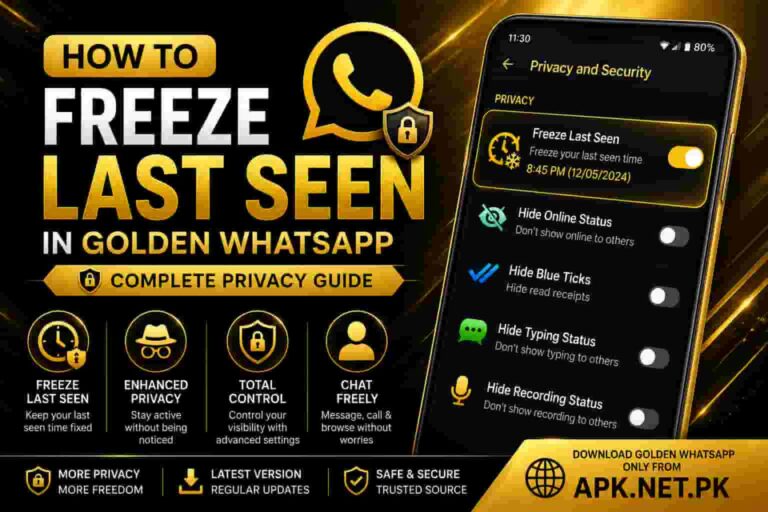
- Enhanced privacy settings: More control over who can see your status, read receipts, and online status. Learn more in our Golden WhatsApp privacy guide.
- Custom themes and personalization: Choose from hundreds of Golden WhatsApp themes to customize your interface.
- Advanced messaging controls: Features like message scheduling, bulk messaging, and advanced filters.
- Additional media sharing features: Send larger files and more media types than official WhatsApp allows.
- Improved user customization options: Customize fonts, colors, layouts, and interface elements to your preference.
- Dual account support: Run two WhatsApp accounts on one phone simultaneously with Golden WhatsApp secondary number setup.
For a detailed feature comparison, see our Golden WhatsApp complete features guide.
Golden WhatsApp vs Official WhatsApp
Here’s how they compare on key factors including ban risk:
| Feature | Golden WhatsApp | Official WhatsApp |
|---|---|---|
| Ban Risk | Moderate to High | None |
| Customization | Extensive | Limited |
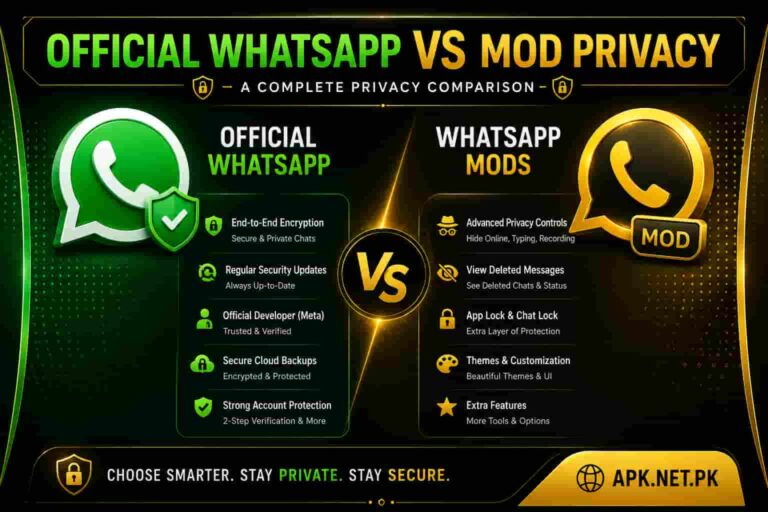
| Privacy Controls | Advanced | Basic |
| Dual Accounts | Yes | No |
| Official Support | No | Yes |
| Security Audit | No | Yes |
Read our complete Golden WhatsApp vs Official WhatsApp comparison for a detailed analysis.
Frequently Asked Questions
Can Golden WhatsApp permanently ban my account?
While most bans are temporary (24 hours to a few weeks), permanent bans are possible if you repeatedly violate WhatsApp’s terms. Account actions depend on Meta’s enforcement policies and your account history. Regular updates and proper usage significantly reduce this risk. Learn more in our complete safety analysis.
Is Golden WhatsApp an official Meta application?
No. Golden WhatsApp is not developed or officially supported by Meta. It is a third-party modified version of WhatsApp. This unofficial status is what creates the ban risk. Always download from official sources for better security.
Can I avoid restrictions completely?
There is no guaranteed way to eliminate all risks associated with unofficial applications. However, following best practices like regular updates, maintaining backups, and avoiding suspicious activity can significantly reduce ban probability.
Should I keep chat backups?
Yes, absolutely. Regular backups protect important conversations and media files. If your account gets restricted or banned, backups allow you to recover your data. Learn how to backup Golden WhatsApp properly.
How long do temporary bans last?
Temporary bans typically last 12 to 24 hours, though some last up to a week. During this time, you can reinstall official WhatsApp to regain access while maintaining your number.
What should I do if I get banned?
If you receive a ban notice: 1. Install official WhatsApp immediately 2. Verify your account with an SMS code 3. Wait out the ban period 4. Consider if you want to continue using Golden WhatsApp 5. If you do, implement the risk reduction strategies from this guide Read our what to do if banned guide for detailed steps.
Is it safe to use Golden WhatsApp if I understand the risks?
Many users successfully use Golden WhatsApp without issues. If you understand the ban risk and follow proper practices, it can be reasonably safe. The key is informed decision-making. See our Is Golden WhatsApp Safe guide for the complete picture.
Can I use both official and Golden WhatsApp together?
Yes, you can have both installed. Official WhatsApp uses your primary number, and Golden WhatsApp can use a secondary number. This approach provides a safety backup. Learn how to set up dual accounts.
Are newer versions of Golden WhatsApp safer?
Generally, yes. Newer Golden WhatsApp versions are more compatible with current WhatsApp servers and include security improvements. Always update to the latest version from official sources.
Final Verdict
Golden WhatsApp offers useful customization and privacy features. However, because it is not an official WhatsApp application, users should carefully evaluate potential account risks before installation. The ban risk is real but manageable with proper precautions.
Staying informed about Golden WhatsApp safety practices, maintaining regular backups, following trusted update sources, and understanding the risks involved helps users make better decisions about whether this app is right for them.
If you decide to use Golden WhatsApp:
- Always download from official sources
- Keep the app updated immediately
- Maintain regular chat backups
- Monitor your account for warnings
- Have official WhatsApp as a backup
- Follow our complete safety guide
Related Golden WhatsApp Guides
Explore comprehensive resources to make informed decisions:
- Is Golden WhatsApp Safe? Complete Analysis
- Golden WhatsApp Official Download & Installation
- Golden WhatsApp with Secondary Number – Complete Guide
- Golden WhatsApp Permissions Explained
- Golden WhatsApp Features & Customization Guide
- How to Reduce Golden WhatsApp Ban Risk
- What to Do If Your Account Gets Banned
- Golden WhatsApp Backup & Recovery Guide
- How to Scan APK Files Before Installation
- Golden WhatsApp vs Official WhatsApp Comparison
Risk Mitigation Strategies
If you decide to use Golden WhatsApp despite the ban risk, implement these protective measures:
- Dual App Strategy: Keep official WhatsApp installed as a backup to restore access quickly if banned
- Regular Backups: Export all important conversations weekly to cloud storage
- Update Schedule: Check for Golden WhatsApp updates weekly from official sources
- Account Verification: Ensure your account has two-factor authentication enabled
- Usage Monitoring: Track any warning messages from WhatsApp about unofficial apps
- Document Everything: Keep screenshots of important chats in case of account loss
- APK Scanning: Scan all APK files with Google Play Protect before installation
- Source Verification: Only download from verified official download pages