Why Does GB WhatsApp Show Ads? How to Remove Them Safely
You open GB WhatsApp to reply to a message, and a full-screen ad blocks your view. Sound familiar? You are not imagining it, and you are not alone. Ads in GB WhatsApp are one of the most searched frustrations among mod users. This guide explains exactly why they appear, what they actually are, which ones carry real risk, and how to get rid of them without breaking your account or losing your chats.
Why Does GB WhatsApp Show Ads?
GB WhatsApp is not an official app. Meta does not build it, fund it, or maintain it. It is a modified version of WhatsApp built and distributed by independent, often anonymous, developers. That changes everything about how the app is monetized.
The original GB WhatsApp team stopped active development several years ago. That left a vacuum. Dozens of different developers stepped in and started releasing their own modified versions under the same name. Some did it for the community. Others did it to earn money. The ones who do it for money embed ad networks directly into the APK file.
So the core reason is simple. The developer who built the version you installed chose to include ads as a revenue stream. Because GB WhatsApp has no subscription fee and no official corporate backing, ads become one of the only ways a developer can get paid for their work.
Two APK files can both be called “GB WhatsApp” but contain completely different code, different ad behavior, and different levels of risk. The name on the file tells you almost nothing. The developer and the source tell you everything.
What Official WhatsApp Does With Ads
To understand GB WhatsApp ads better, it helps to know what the real WhatsApp does. Meta introduced ads into WhatsApp in 2025, but only inside the Updates tab (formerly Status). Your private chats and calls remain ad-free on official WhatsApp. The ads in the Updates section are targeted based on your city, language, the channels you follow, and your Meta account connections. They are served by Meta’s own ad infrastructure.
GB WhatsApp ads are a completely different thing. They appear inside the messaging interface itself, not just a dedicated tab, and they are served by whatever ad network the mod developer integrated. That network has no accountability to you, no privacy policy you agreed to, and no obligation to protect your data.
Why Some Builds Have No Ads and Others Have Many
Some mod developers choose not to monetize through ads at all. They release clean, ad-free builds because they care about user experience, or because they earn money through other means such as donations or affiliate arrangements. Others inject heavy ad code because that is their primary income. The frustrating part is that all these versions circulate under the same “GB WhatsApp” label, so you cannot tell what you are getting until after you install it.
Types of Ads You Will See in GB WhatsApp
Not all ads in GB WhatsApp behave the same way. Knowing what you are dealing with helps you understand both the nuisance and the risk level.
Popup Ads
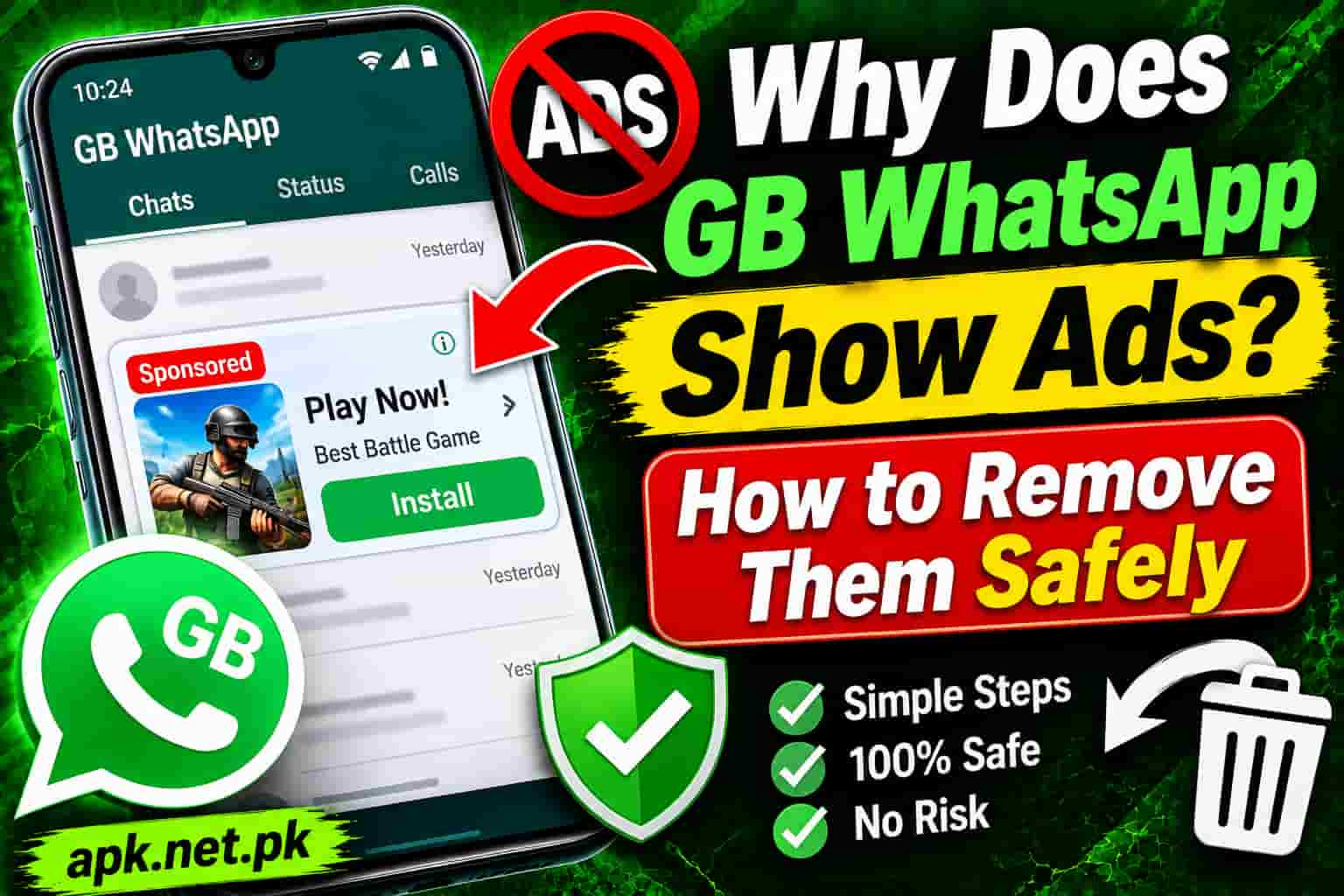
These are the most common complaint. A popup ad appears as a full-screen overlay, usually when you open the app or return to the chat list. You have to close it manually before you can continue. Popup ads generate high revenue for developers because they force a user action. They are annoying by design.
Banner Ads
Banner ads sit at the top or bottom of the screen and stay there while you chat. They are less intrusive than popups but they consume screen space and can slow rendering on older phones. These usually come from standard mobile ad networks embedded in the APK.
Interstitial Ads
These are full-screen ads that appear between actions, such as when you switch from one chat to another or when you open the camera. They feel like the app froze for a moment before displaying the ad. Some interstitials auto-close after a few seconds. Others require you to find and tap a small close button.
Video Ads
Some heavier builds include autoplay video ads. These consume your mobile data, drain your battery faster, and can cause the app to stutter. Video ad networks tend to be more aggressive in terms of data collection than simple banner networks.
Fake Update Prompts
This one is the most dangerous and the hardest to spot. Some versions show what looks like an update notification inside the app. When you tap it, it takes you to a third-party site to download a new APK. That new APK may come from a completely different developer and could contain more aggressive ads, spyware, or adware. This is how many users unknowingly switch from a relatively safe build to a problematic one.
If GB WhatsApp shows you an update notification inside the app, do not tap it blindly. Always go back to your original trusted download source for updates. Fake update prompts are one of the main ways bad actors push adware-laden APKs to existing users.
Which Ads Are Actually Dangerous
Not every ad in GB WhatsApp is a threat. Some are simply annoying. But the difference between a harmless banner and a dangerous ad injection matters a lot, especially since you gave this app permission to access your messages, contacts, and camera.
How Ad Code Gets Into GB WhatsApp APKs
Developers who want to monetize their GB WhatsApp build do not write ad code from scratch. They register with a mobile ad network, receive an SDK (a code library), and add it to the app before compiling the APK. When you open the app, that SDK talks to the ad network’s servers, receives an ad, and displays it on your screen.
The problem is that some ad SDKs do more than show ads. Security researchers at Malwarebytes have documented fake WhatsApp APKs that contain riskware components embedded within receiver and service code. These components can communicate with remote servers, potentially exfiltrating device data or downloading secondary payloads. The ad is the visible part. The data collection or secondary download is the hidden part.
Ad Code That Tracks You
Even relatively benign ad networks collect some data. Mobile ad networks typically gather your device ID, your approximate location, your language, your screen resolution, and which apps you have installed. They use this to serve targeted ads. When this happens inside a modified messaging app that also has access to your contacts and chats, the data exposure is significantly wider than it would be in a simple browser ad.
If you are concerned about your overall security in GB WhatsApp, our guide on whether GB WhatsApp is safe covers the full picture. And if you have ever suspected something is wrong with your install, the 8 signs your GB WhatsApp may be compromised gives you a clear checklist to work through.
When Ads Are a Sign of a Counterfeit APK
Heavy, unremovable ads that reappear even after you disable them through settings are a red flag. Legitimate GB WhatsApp builds from reputable developers respond to the in-app toggle and stop showing ads when you turn them off. If the ads keep coming back or if you see ads appear in places that make no sense, like inside a chat window or on the lock screen, your APK is likely from a source that injected additional components beyond a simple ad network.
To understand the full scope of risks involved with modified WhatsApp apps, the GB WhatsApp anti-ban guide explains how detection works and what developers do to stay under WhatsApp’s radar.
How to Remove Ads from GB WhatsApp Step by Step
There are four methods to handle ads in GB WhatsApp, ordered from simplest to most thorough. Try them in sequence.
Method 1: Use the In-App Ad Toggle
Most legitimate GB WhatsApp builds include an in-app option to disable the developer’s own popup or promotional ads. Here is how to find it.
- Open GB WhatsApp on your phone.
- Tap the three-dot menu in the top right corner of the main chat screen.
- Select GB Settings from the dropdown menu.
- Look for a section called Privacy, Customization, or General depending on your version.
- Find an option labeled Show GBWA Popup, Disable Ads, or Show Promotional Messages.
- Toggle that option off.
- Close and fully restart GB WhatsApp from your app switcher.
The option name and location vary between versions. If you do not see an ads option under Privacy, check under Universal, GB Mods, or tap through every submenu once. Some versions label it differently but the toggle exists in almost all maintained builds.
Method 2: Clear the App Cache
Some ad banners persist because they are cached. Clearing the cache forces the app to reload, which sometimes resolves lingering ads in older sessions.
- Go to your phone’s Settings app.
- Tap Apps or Application Manager.
- Find and tap GB WhatsApp in the list.
- Tap Storage.
- Tap Clear Cache. Do not tap Clear Data, as that will erase your session and require you to log back in.
- Reopen GB WhatsApp.
Method 3: Update to a Cleaner Version From Your Original Source
If the toggle does not exist in your version, your build is likely outdated or from a developer who did not include that control. The best move is to update to a newer version from the same source you originally trusted. A newer build from a reputable maintainer often removes or reduces ads as users complain about them.
Before updating, back up your chats so nothing is lost during the transition. Our GB WhatsApp backup and restore guide walks you through that process in detail.
Method 4: Switch to the Clean Version at apk.net.pk
If your current version continues showing ads despite everything above, the most reliable fix is to switch to a verified, ad-free build. The version on apk.net.pk/gb-whatsapp/ is tested before it goes live, checked for injected ad code and unnecessary permissions, and updated whenever the upstream developer releases a stable build. You get all the mod features you wanted without the ad interference.
What Not to Do
- Do not tap ads to close them if there is a physical back button available. Tapping ad content can trigger redirects.
- Do not follow any in-app update prompt to a third-party site you do not recognize.
- Do not grant accessibility service permissions to unknown apps claiming to block ads in GB WhatsApp.
- Do not root your device specifically to remove GB WhatsApp ads. The risk-to-benefit ratio is very poor.
Why Ads Appeared Suddenly After an Update
This is one of the most common scenarios. You used GB WhatsApp for months without ads, then you tapped an update notification and ads started flooding in. Here is exactly what happened.
When you tapped that update prompt, you did not update your existing version. You installed a different APK from a different source. Many update distribution sites for GB WhatsApp are run by people who have no connection to your original developer. They host their own modified builds and use the update notification mechanism to push those builds to existing users. Your new version comes from someone else, and that someone else included ads.
| Factor | Before the Update | After the Rogue Update |
|---|---|---|
| Developer | Your original trusted source | Unknown third party |
| Ad code | None or disabled | Active ad network injected |
| APK signature | From your original source | May be from a different signer |
| Chats and data | Intact | Usually intact but verify |
| Trust level | Known quantity | Unknown and unverified |
How to Fix It After a Rogue Update
If this happened to you, the fix is straightforward. First, back up your current chats through GB WhatsApp’s own backup option or your phone’s local storage. Then uninstall the current version. Then reinstall from your verified source. If GB WhatsApp suddenly stops working during this process, the GB WhatsApp not working troubleshooting guide will help you get back up quickly.
Going forward, treat in-app update prompts with suspicion. The safest habit is to only update GB WhatsApp by visiting your known download source directly, not by tapping prompts inside the app.
Getting a Truly Ad-Free GB WhatsApp Build
If you want GB WhatsApp without any ad interruptions, you have a few paths. Each one has real trade-offs worth knowing before you commit.
Use a Known Reputable Maintainer’s Build
Some long-standing GB WhatsApp maintainers have built their reputation on offering clean, ad-free experiences. Builds from developers with established track records and large user bases are more likely to be ad-free because their reputation depends on it. However, as one of those developers has effectively discontinued active updates, you need to be careful about which “successor” version you choose.
Download From apk.net.pk
The GB WhatsApp download page on apk.net.pk hosts a version that has been reviewed before publishing. This matters more than version numbers or developer claims. A vetted source gives you far more confidence than a site that simply mirrors whatever APK it finds and plasters it with its own ads.
What to Check Before Installing Any Build
- APK file size: A legitimate GB WhatsApp APK is typically between 50MB and 85MB. Unusually small files may be stripped-down versions with components replaced. Unusually large files may contain bundled secondary apps.
- Permissions on first install: GB WhatsApp needs contacts, storage, microphone, and camera. It does not need accessibility services, device admin, or permission to install other apps. If anything asks for those during setup, stop immediately.
- Battery and data usage after install: Check your phone’s battery stats and mobile data usage a few hours after installing. If GB WhatsApp is consuming data in the background at odd times, something in the build is communicating with external servers beyond normal messaging activity.
After installing any new GB WhatsApp build, go to Settings on your phone and check the app’s permissions. Remove any permission that the app should not need. Revoke access to accessibility services especially, as that level of access is unnecessary for a messaging app and is frequently abused by adware.
Staying Ad-Free Over Time
The key to staying ad-free long term is not finding the perfect version once. It is developing the habit of updating only from your verified source and checking your app’s behavior after every update. If ads reappear after a routine update, your source pushed a changed build. Treat it the same way you would treat a rogue update and go back to basics.
Also worth checking: our original GB WhatsApp guide explains what distinguishes a trustworthy build from a repackaged copycat, which is useful whenever you need to evaluate a new source.
GB WhatsApp Ads vs Official WhatsApp Ads
People often confuse the two. Meta actually introduced ads into WhatsApp in 2025. So what is the difference between those and the ads in GB WhatsApp? The gap is significant.
| Factor | GB WhatsApp Ads | Official WhatsApp Ads (Meta) |
|---|---|---|
| Who places them | Anonymous third-party mod developer | Meta, via its own ad infrastructure |
| Where they appear | Inside messaging interface, popups, banners | Updates tab only (channel content area) |
| Privacy policy | No formal policy from ad developer | Meta’s published privacy policy |
| Data collected | Varies; can include device ID, location, installed apps | City, country, language, channel follows, Meta account |
| Can you opt out? | Depends on the build; toggle may exist | Limited; tied to your Meta account settings |
| Risk of malicious redirect | Yes, with unverified builds | Very low; Meta vets advertisers |
| Accountability | None | Regulated under GDPR, CCPA |
The irony here is real. Many people switched to GB WhatsApp partly to avoid Meta’s data practices. But a GB WhatsApp build from an unknown developer can expose your device data to ad networks with far less accountability than Meta has. At least Meta faces regulators. The anonymous developer behind your APK does not.
Frequently Asked Questions
Does original GB WhatsApp show ads?
No. The original GB WhatsApp built by its early developers did not include ads. Ads appear because the original team stopped maintaining the app, and other developers filled the gap. Many of these new maintainers inject ad code to earn revenue. If your version shows ads, it comes from a developer who monetizes through advertising.
Why does GB WhatsApp show popup ads?
GB WhatsApp shows popup ads because it is a third-party modified app with no official monetization from Meta or WhatsApp. Developers who build and distribute these modified APKs earn money by embedding ad networks inside the app. Popup ads are the most common type because they force a user interaction and generate higher ad revenue per impression.
Is it safe to use GB WhatsApp with ads?
It depends on the ad source. Some versions simply show banner or popup ads from known networks. Others embed ad code that links to malicious sites, tracks your device data, or quietly downloads secondary APKs. Any GB WhatsApp version that pushes aggressive popup ads or redirects you to unrelated installs carries a higher risk of adware behavior.
How do I turn off ads in GB WhatsApp?
Open GB WhatsApp, tap the three-dot menu, go to GB Settings, then find the Privacy or Customization section. Look for a toggle labeled Show GBWA Popup or Disable Ads and turn it off. Restart the app. If this option is not present in your version, switch to a known ad-free build from a trusted source.
Which version of GB WhatsApp has no ads?
Reputable builds from trusted maintainers are known for being ad-free. The key is not just the version number but the source. Downloading from an unverified site means even a version claiming to be ad-free may carry injected ads. Always download from a source you trust and verify the APK size and permissions before installing.
Can ads in GB WhatsApp steal my data?
Some ads in unverified GB WhatsApp builds do more than display promotions. Ad code embedded by unknown developers can access basic device information such as your location, language, and device ID. More dangerous builds may link to phishing sites or trigger secondary downloads. This is exactly why the source of your GB WhatsApp APK matters more than the version number.
Will removing ads from GB WhatsApp get me banned?
Removing ads by using the in-app toggle or switching to a cleaner build will not directly cause a ban. Bans happen when WhatsApp detects the modified signature of the app, not because of ads. However, switching to an unknown ad-free build may increase your ban risk if that version uses a weaker anti-detection approach.
Why do ads appear after I updated GB WhatsApp?
When you tap an in-app update prompt, it may direct you to a different version built by a different developer. If ads appeared after an update, you likely installed a build from a new source that includes ad code. Uninstall it, back up your chats, and reinstall from your original trusted source.
The Bottom Line on GB WhatsApp Ads
GB WhatsApp ads exist because anonymous developers need a revenue stream. The name on the APK stays the same but the code inside changes with every new distributor. Some builds are genuinely clean. Others turn your messaging app into an ad delivery machine, and a few go further by collecting device data or pushing secondary downloads through fake update prompts.
The fix is not complicated. Use the in-app toggle first. If that does not work, your build is from a developer who chose not to include that control, which itself tells you something. The cleanest path is always to download from a verified, tested source. The GB WhatsApp download page on apk.net.pk gives you exactly that, a checked build with the mod features you want and without the ad overhead you do not.
Sources
- Malwarebytes Research: Mobile Menace Monday: Fake WhatsApp riskware analysis
- Tuta Privacy Blog: How to turn off WhatsApp ads (official WhatsApp)
- Risks of Using GBWhatsApp: The real risks of GBWhatsApp in 2026