
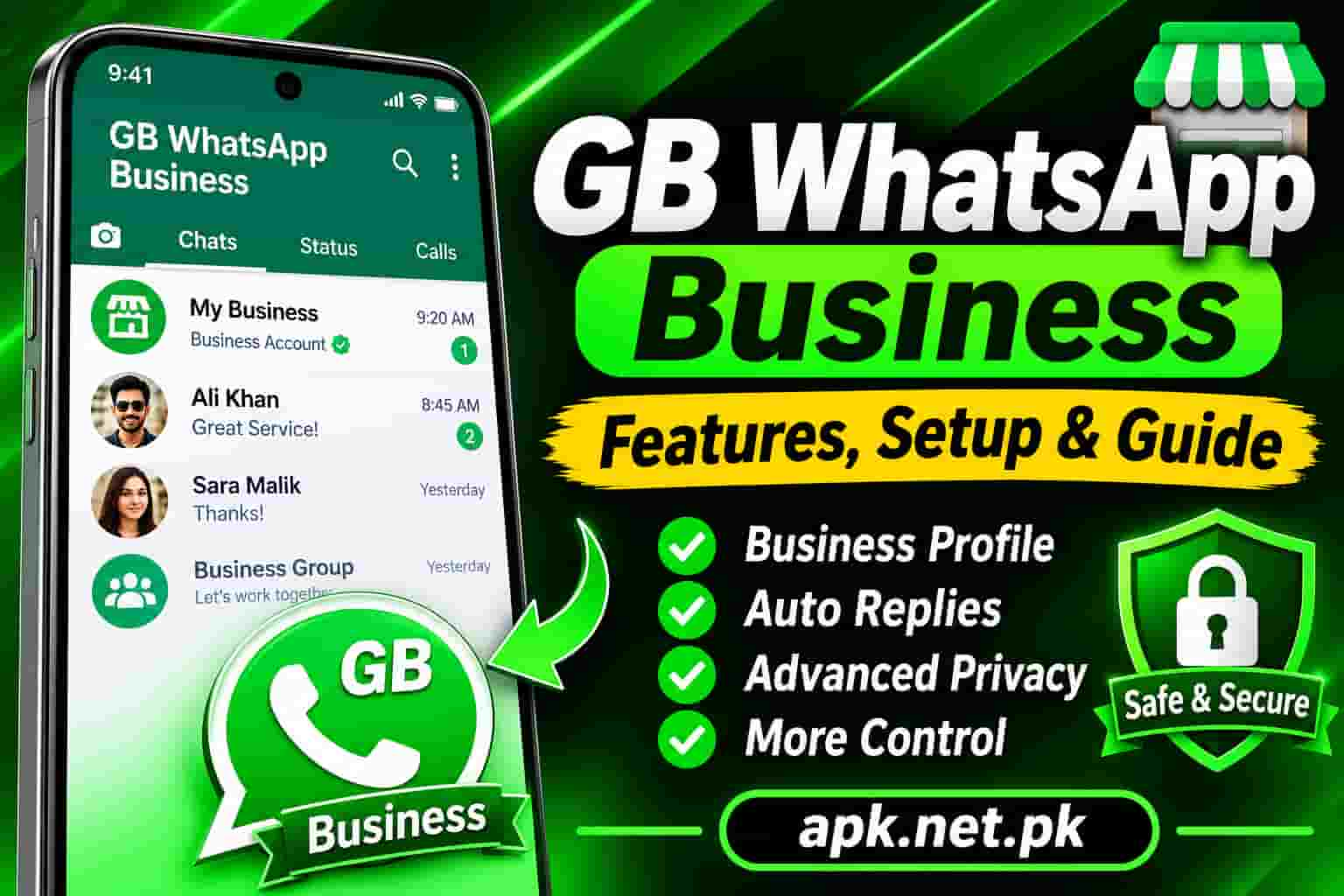
GB WhatsApp Business
Thousands of small business owners use GB WhatsApp every day to manage customer conversations. It was never designed for business, yet it offers features that the official WhatsApp Business app still does not have: message scheduling, expanded broadcast lists, fully customizable auto-reply, and dual account support on a single phone. At the same time, it carries real risks that the official app does not. This guide covers exactly what GB WhatsApp offers for business use, how it compares feature by feature to WhatsApp Business, what workflows it handles well, and what you need to understand before relying on it for customer communication.
What Is GB WhatsApp for Business?
GB WhatsApp is a modified version of the official WhatsApp app developed by independent third-party developers. It was not built as a dedicated business tool. However, its feature set happens to solve several problems that business users face every day on the official app: reaching more than 256 contacts at once, scheduling messages in advance, setting up automatic replies with custom keyword triggers, and running two separate WhatsApp numbers on a single Android phone.
These are not minor conveniences. For a freelancer handling client inquiries, a retailer sending promotional messages, a service provider responding to bookings after hours, or a restaurant managing daily reservation confirmations, they represent the difference between a workable communication system and a genuinely useful one.
What GB WhatsApp for business means in practice is using the modified app’s expanded toolset to run customer-facing communication from a personal or business phone number, without paying for the WhatsApp Business API or setting up a formal business platform. It is especially common in markets where small businesses operate on thin margins and cannot justify the cost of enterprise messaging tools.
There are two different things people mean when they say “WhatsApp Business.” The first is the official free WhatsApp Business app from Meta, which any small business can download. The second is the WhatsApp Business API (now called the WhatsApp Business Platform), which is a paid, enterprise-grade solution. This guide compares GB WhatsApp to the free WhatsApp Business app, not the API, unless specifically stated otherwise.
Key Business Features in GB WhatsApp
GB WhatsApp adds several tools on top of the standard WhatsApp feature set. The ones most relevant to business use are listed below with practical context for each.
Auto-Reply with Keyword Triggers
GB WhatsApp includes a fully customizable auto-reply system. You can set different reply messages for different keywords, so a customer who texts “price” gets an instant price list while one who texts “hours” gets your opening hours. You can also limit auto-reply to specific time windows, such as only after business hours, or run it all day for unmonitored inquiries. The official WhatsApp Business app offers only one away message and one greeting message with no keyword customization.
Message Scheduling
You can compose a message and set a specific date and time for it to be sent automatically. This is a feature the official WhatsApp Business app does not have at all. For business use, scheduling handles follow-up reminders, birthday messages to loyal customers, promotional announcements timed to a sale, and event confirmations sent the morning of the event.
Expanded Broadcast Lists
The official app limits broadcast lists to 256 contacts. GB WhatsApp expands this to up to 600 contacts per broadcast. For businesses that run customer lists manually, this doubles the reach of a single message blast without additional effort.
Dual Account Support
GB WhatsApp runs as a separate app alongside standard WhatsApp or WhatsApp Business on the same Android device. This gives you a personal number on one app and a business number on the other, all on one phone without a second SIM. No dual-SIM phone needed.
Anti-Delete Message Viewing
GB WhatsApp shows messages that a contact deleted before you read them. For business contexts, this means you never miss a complaint, a changed order, or a retracted request that you still need to follow up on.
Extended Media Sharing
GB WhatsApp allows sending videos up to 700 MB, documents of larger sizes, and images at full original quality without the compression the official app applies. For businesses that share product photos, catalogs in document form, or video demonstrations, this removes a significant limitation.
Quick Reply Templates
Like the official WhatsApp Business app, GB WhatsApp supports saving canned responses for frequently asked questions. Type a shortcut like /price and the full price list message fills in automatically. This saves time on repetitive customer service responses.
Status for Marketing
GB WhatsApp allows status videos up to 7 minutes long, compared to the 30-second limit in the official app. For businesses that use status updates as a free, daily marketing channel to reach their entire contact list, this is a meaningful upgrade. You can share longer product demos, before-and-after transformations, or walk-through videos as a status.
GB WhatsApp vs WhatsApp Business: Full Feature Comparison
This table covers every feature that matters for business communication. It compares GB WhatsApp, the official free WhatsApp Business app, and the WhatsApp Business API so you can see the full picture at once.
| Feature | GB WhatsApp | WhatsApp Business App | WhatsApp Business API |
|---|---|---|---|
| Business Profile | No | Yes (name, hours, address, website, category) | Yes (verified green tick available) |
| Product Catalog | No (share links instead) | Yes, up to 500 items | Yes |
| Verified Business Label | No | Business Account label | Green tick verification possible |
| Auto-Reply | Yes, keyword-triggered, time-restricted, multiple rules | Basic: one greeting, one away message | Yes, full chatbot-level automation |
| Message Scheduling | Yes, full date and time scheduling | No | Yes via platform integrations |
| Broadcast Limit | Up to 600 contacts | 256 contacts per list | Unlimited (tier-based) |
| Quick Replies | Yes | Yes | Yes |
| Chat Labels | No | Yes (New Customer, New Order, Pending Payment, etc.) | Yes |
| Dual Account on One Phone | Yes, natively | Yes (one WA Business + one standard WA) | N/A (runs via browser or CRM) |
| Read Receipts Control | Yes, hide blue ticks selectively | Yes, toggle only | Varies by platform |
| Status Video Length | Up to 7 minutes | 30 seconds | N/A |
| Video File Size Limit | Up to 700 MB | Up to 2 GB (official limit) | Up to 2 GB |
| Anti-Delete Messages | Yes | No | No |
| Message Statistics | No | Basic delivery stats | Full campaign analytics |
| CRM Integration | No | No | Yes |
| Multi-Agent Access | No | No | Yes |
| Official Meta Support | No | Yes | Yes |
| Terms of Service Compliance | No, violates WhatsApp ToS | Yes | Yes |
| Cost | Free | Free | Per-conversation pricing |
The pattern that emerges from this comparison is clear. GB WhatsApp wins on automation flexibility, scheduling, broadcast size, and media. WhatsApp Business wins on professional presence, trust signals, organizational tools, and long-term reliability. The WhatsApp Business API wins on scale, analytics, and integration, but at a cost.
Auto-Reply: Why GB WhatsApp’s Version Is More Powerful
Auto-reply is one of the most used business features in any messaging app. The difference between how GB WhatsApp and the official WhatsApp Business app handle it is significant enough to be a deciding factor for many small businesses.
What Official WhatsApp Business Offers
The official WhatsApp Business app gives you exactly two automated message types: a greeting message that sends to new contacts or contacts who have not messaged you in 14 days, and an away message that sends when you receive messages outside your set business hours. That is it. You cannot trigger different responses based on what the customer wrote. You cannot set multiple away messages for different scenarios. One greeting, one away message.
What GB WhatsApp Offers
GB WhatsApp’s auto-reply system works like a lightweight chatbot. You can create multiple rules, each with its own trigger keyword and its own response message. When a customer messages the keyword “price,” they get the price list immediately. When they write “booking,” they get your booking instructions. When they write anything outside business hours, they get an after-hours acknowledgment. All of this runs automatically without you touching the phone.
You can also set a time window for each rule, so the price-list auto-reply only fires during business hours while the after-hours rule only fires outside them. For a small business owner managing customer inquiries alone, this system handles the first line of customer communication without any human involvement.
How to Set Up Auto-Reply in GB WhatsApp
- Open GB WhatsApp and tap the three-dot menu, then GB Settings.
- Find the Auto Reply option and tap it.
- Tap the Add or Plus button to create a new rule.
- Enter the keyword that will trigger this reply. Leave the keyword field empty if you want the rule to fire for every incoming message.
- Write the response message you want sent automatically.
- Set a time range if you want this rule to only run during specific hours.
- Save the rule. It activates immediately.
You can create multiple rules and they all run independently. Each rule checks incoming messages against its keyword and fires its response if the keyword matches.
Broadcast Messaging in GB WhatsApp: Limits, Best Practices, and Ban Risks
Broadcast messaging is one of the most valuable tools in any business’s WhatsApp toolkit. It lets you send one message to a large list of contacts without creating a group, so each recipient receives it as a private one-to-one message. Recipients do not see who else got the message.
Broadcast Limits Compared
The official WhatsApp and WhatsApp Business app limit broadcast lists to 256 contacts per list. There is no workaround inside the official app. You would need to create multiple lists to reach more people. GB WhatsApp increases this to up to 600 contacts per broadcast, which is more than double the official limit. For businesses with customer lists in the hundreds, this removes a significant friction point.
Critical Rule: Contacts Must Have Your Number Saved
Both the official app and GB WhatsApp only deliver broadcast messages to contacts who have saved your phone number in their own address book. If a recipient does not have you saved, your broadcast message does not reach them. This is a WhatsApp-level rule that GB WhatsApp cannot override. It applies to both platforms equally.
Broadcast Volume and Ban Risk
Sending large volumes of broadcast messages in a short time window is one of the fastest ways to trigger a WhatsApp ban, whether you are on the official app or GB WhatsApp. WhatsApp’s automated systems monitor sending patterns. A sudden spike of hundreds of identical or near-identical messages from one number is a strong signal of spam behavior. Recipients can also report your number, and enough reports will trigger a ban regardless of the app you are using.
Keep broadcast volume under 100 messages per session. Space out broadcast sends over several hours rather than sending in one burst. Only message contacts who actively chose to receive your updates. Personalize messages where possible since identical messages to hundreds of numbers trigger spam filters faster than varied ones. For more on protecting your account, the full GB WhatsApp anti-ban guide covers every protection measure in detail.
Group Improvements for Business
GB WhatsApp also expands group functionality compared to the standard app. Group names can be longer, and some builds support expanded participant capacity. For businesses that run customer community groups, support groups, or team coordination groups, these improvements make group management easier.
Message Scheduling: The Feature WhatsApp Business Completely Lacks
Message scheduling does not exist in the official WhatsApp Business app. There is no native way to compose a message today and have it send tomorrow at a specific time. GB WhatsApp includes full date and time scheduling as a built-in feature.
For business use, the practical applications are significant. You can write your Monday morning promotion message on Sunday night and schedule it for 9:00 AM. You can prepare a birthday discount message for a loyal customer and schedule it to arrive on their birthday morning. You can set a “your order ships today” reminder to go out at the same time every morning for all orders placed the previous day. All of this happens automatically without you opening the app.
How to Schedule a Message in GB WhatsApp
- Open the chat you want to send the scheduled message to.
- Long-press the Send button (the arrow icon) instead of tapping it normally.
- A date and time picker will appear. Set the date and time you want the message to be sent.
- Confirm the schedule. GB WhatsApp will send the message automatically at the specified time, even if the app is in the background.
Scheduled messages require GB WhatsApp to be installed and active on your device at the time of delivery. If you uninstall the app or clear its data before the scheduled time, the message will not send. The app does not need to be open in the foreground, but it cannot be fully closed by the system either. Disable battery optimization for GB WhatsApp in Android Settings to prevent the system from killing the background process.
Dual Account Support: Keep Business and Personal Numbers Separate
One of the most practically useful features of GB WhatsApp for business users is the ability to run two WhatsApp numbers on one Android phone without needing a dual-SIM device.
GB WhatsApp installs as an entirely separate app from the official WhatsApp. Because they have different app package names, Android treats them as two completely independent applications. You can have your personal number registered in the official WhatsApp app and your business number registered in GB WhatsApp, both running simultaneously on the same phone.
Both apps receive notifications independently. Both show separate chat lists. Media from one does not appear in the other. The two accounts are completely isolated from each other at the app level.
This matters for business users because it removes the most common friction point of professional WhatsApp use: mixing personal and customer messages in a single app. Customer inquiries arrive in GB WhatsApp. Personal chats stay in the official app. At the end of the working day, you can close GB WhatsApp notifications without missing anything personal.
Because GB WhatsApp and the official WhatsApp Business app also have different package names, you can run all three on one phone: standard WhatsApp for your personal number, WhatsApp Business for your official business profile with its catalog and labels, and GB WhatsApp for a third number if needed, or as an additional tool alongside one of the others. This triple setup is common among freelancers who want both a formal business profile and GB WhatsApp’s scheduling and auto-reply features.
Privacy Features That Matter for Business Users
GB WhatsApp gives business users privacy controls that the official app does not offer. For customer communication, some of these controls are genuinely useful rather than just personal preferences.
Hide Read Receipts Selectively
The official app gives you a single toggle for blue ticks. GB WhatsApp lets you hide read receipts for specific contacts while keeping them on for others. For business use, this means you can read a customer’s message and think through your response before they know you have seen it. You are not forced to respond immediately just because you opened the message.
Freeze Last Seen
You can keep your Last Seen timestamp static regardless of when you are actually online. This prevents customers from seeing that you read their message three hours ago and have not replied, which manages expectations without requiring you to toggle your availability off and on manually throughout the day.
Go Online Invisibly
GB WhatsApp lets you check messages without your status showing as Online. This is valuable during evenings and weekends when you want to review customer messages without signaling that you are available to respond right away.
App Lock for Business Separation
GB WhatsApp includes a built-in app lock that requires a PIN, pattern, or fingerprint to open. For a phone shared with family members, this keeps customer conversations private and your business communications secure. For the full setup of this feature and how to recover access if you forget the lock, the GB WhatsApp forgot lock guide covers every recovery method.
Real Business Workflows That Work Well in GB WhatsApp
Theory is one thing. Here is how actual small business operators structure their GB WhatsApp use across different business types.
Local Retail and Online Sellers
Set up auto-reply keyword rules for the most common questions: price, availability, delivery, and payment. Each keyword triggers an instant, detailed response. Schedule a daily broadcast to your top 100 customers at 10:00 AM featuring the day’s offer. Use status as a free daily marketing channel by posting a 60-second product video every morning that reaches your entire contact list at no cost.
Service Providers (Plumbers, Cleaners, Tutors, Coaches)
Use auto-reply after 7:00 PM to acknowledge all incoming booking requests and confirm that you will respond by 9:00 AM. Schedule reminder messages the morning before each appointment to reduce no-shows. Send a follow-up message 24 hours after each appointment asking for feedback. All three of these happen automatically without touching the phone.
Restaurants and Food Businesses
Schedule the daily menu broadcast for 11:00 AM to reach your entire customer base before the lunch decision is made. Use auto-reply for order confirmation keywords to send instant booking acknowledgments. Use broadcast for event announcements such as a weekly special or a holiday menu.
Freelancers and Consultants
Run a business number in GB WhatsApp alongside a personal number in the official app. Schedule follow-up messages for prospects who went quiet. Set auto-reply after hours to set clear availability expectations. Use the extended document sharing to send proposal files and large portfolio PDFs without compression or size errors.
The most effective GB WhatsApp business users build a simple daily routine: 10 minutes in the morning reviewing overnight messages, one status update posted, one broadcast or follow-up scheduled for later. That 20-minute commitment is enough to run a professional customer communication operation on a single phone without additional tools or staff.
Risks of Using GB WhatsApp for Business That You Must Understand
Using GB WhatsApp for business comes with specific risks that do not apply to the official app. These are not theoretical. They affect real businesses. Knowing them upfront allows you to manage them or decide they are not acceptable for your situation.
Risk 1: Account Ban
WhatsApp’s Terms of Service prohibit the use of modified third-party clients. If WhatsApp detects GB WhatsApp usage, it can temporarily or permanently ban the phone number registered in the app. For a business number that customers know and trust, a ban means your entire customer communication channel goes dark instantly. You cannot recover the customer relationships associated with that number until the ban is appealed or lifted.
This risk is manageable but not eliminatable. Using the latest build with anti-ban measures, keeping messaging volumes within normal limits, and not using the app for spam reduces the risk significantly. For the specific steps, read the anti-ban guide. But it cannot be eliminated entirely because using a modified app violates the ToS by definition.
Risk 2: No Official Business Profile or Catalog
GB WhatsApp does not give you a formal business profile. Customers cannot search for your business on WhatsApp. You cannot display your address, website, business category, or opening hours on your profile. You cannot build a product catalog inside the app. For a business where customer trust and discoverability matter, this is a real limitation compared to WhatsApp Business.
Risk 3: No Eligibility for the WhatsApp Business API
If your business grows to the point where you need the WhatsApp Business API for high-volume messaging, CRM integration, and multi-agent support, the number you used in GB WhatsApp cannot simply be migrated over. The API requires a clean account history on official apps. A number with a GB WhatsApp usage history may face complications during API onboarding. Starting on the official WhatsApp Business app gives you a cleaner migration path if you scale.
Risk 4: No Official Customer Support
If GB WhatsApp develops a bug that affects your customer communication, there is no official support team to contact. You are dependent on community forums and the app’s developers issuing an update. For a business that relies on the app for daily revenue, downtime has a direct financial impact. The official WhatsApp Business app has a support path through Meta’s business help center.
Risk 5: No Google Drive Backup
GB WhatsApp does not natively support Google Drive backup. Your entire customer conversation history lives only on your device. If your phone is lost, stolen, or damaged, that history is gone unless you created a manual local backup beforehand. The official WhatsApp Business app backs up to Google Drive automatically. For a comprehensive look at how to protect your data, the GB WhatsApp backup and restore guide explains every available method.
GB WhatsApp is best used as a secondary tool alongside official apps, not as the sole communication platform for a business that cannot afford downtime. If your business depends entirely on one WhatsApp number, the official WhatsApp Business app is the safer foundation. GB WhatsApp is most valuable when it supplements that foundation with scheduling, expanded auto-reply, and broadcast reach.
Which Should You Use? A Clear Decision Guide
The right choice depends on your specific situation. Use the guide below to identify where you sit.
| Your Situation | Best Choice | Reason |
|---|---|---|
| Solo freelancer or service provider, needs scheduling and auto-reply | GB WhatsApp | Scheduling and advanced auto-reply are not in the official app |
| Small retailer, needs a product catalog and business profile | WhatsApp Business | Catalog and business profile are only in the official app |
| Business owner with both a personal and business number | Both side by side | GB WA for one number, official WA Business for the other |
| Business planning to use WhatsApp Business API in future | WhatsApp Business | Cleaner migration path to the API from the official app |
| Marketer sending regular broadcasts to a list over 256 | GB WhatsApp | Up to 600 contacts per broadcast vs 256 in the official app |
| Business where uptime and reliability are critical | WhatsApp Business | Official app has no ban risk and official Meta support |
| Small business in a market where GB WA is widespread | GB WhatsApp | Scheduling, auto-reply, and status marketing outperform official app for solo operators |
The most effective setup for many business owners is using both simultaneously. Run WhatsApp Business for your customer-facing number so it carries the official business label, catalog, and labels for chat organization. Run GB WhatsApp for a secondary number or alongside it to access scheduling, expanded auto-reply, and larger broadcast lists. Because both apps install independently on Android, running them together is fully possible. You always need the latest verified version of GB WhatsApp to get the most reliable business features. Download it from the official GB WhatsApp page at APK.net.pk.
Frequently Asked Questions
Can I use GB WhatsApp for my business?
Yes, many small business owners use GB WhatsApp for customer communication. It offers message scheduling, keyword-triggered auto-reply, broadcast lists of up to 600 contacts, and dual account support, all of which are genuinely useful for business. However, GB WhatsApp violates WhatsApp’s Terms of Service, so there is a real risk of account ban. It does not offer a business profile, product catalog, or official support. The best approach for most businesses is using it alongside the official WhatsApp Business app rather than as a replacement for it.
What is the difference between GB WhatsApp and WhatsApp Business?
WhatsApp Business is Meta’s official free app designed specifically for small businesses. It includes a business profile with hours, address, and website, a product catalog with up to 500 items, chat labels for organization, and basic automation with one greeting and one away message, but no message scheduling. GB WhatsApp is a third-party modified app not affiliated with Meta. It has no business profile or catalog, but it offers message scheduling, keyword-triggered auto-reply, broadcast lists up to 600 contacts, and advanced privacy controls that the official app does not have.
Does GB WhatsApp have message scheduling?
Yes. GB WhatsApp has a full message scheduling feature that lets you compose a message and set an exact date and time for automatic delivery. The official WhatsApp Business app does not have message scheduling at all. To schedule a message in GB WhatsApp, long-press the Send button instead of tapping it, and a date and time picker will appear.
What is GB WhatsApp’s broadcast limit?
GB WhatsApp allows broadcast lists of up to 600 contacts, more than double the 256-contact limit in the official WhatsApp and WhatsApp Business apps. Recipients must still have your number saved in their contacts for the broadcast to deliver to them. This rule applies in both apps and GB WhatsApp cannot override it.
Can I run GB WhatsApp and WhatsApp Business on the same phone?
Yes. GB WhatsApp and the official WhatsApp Business app have different package names, so Android treats them as separate apps. They install and run independently on the same device. You can have a business number on WhatsApp Business and a different number on GB WhatsApp at the same time, with separate chat lists and separate notifications for each.
Is it safe to use GB WhatsApp for a dedicated business number?
Using GB WhatsApp on a number your customers know carries a real risk. If WhatsApp bans that number, your entire customer communication channel goes down until the ban is lifted or appealed. For a number that is critical to your business, the official WhatsApp Business app is safer because it carries no ban risk. If you use GB WhatsApp for a business number, always use the latest anti-ban build and keep message volumes within safe limits.
Does GB WhatsApp have a product catalog feature?
No. GB WhatsApp does not have a built-in product catalog. This feature is exclusive to the official WhatsApp Business app, which supports up to 500 catalog items with names, prices, descriptions, and images. GB WhatsApp users who need a catalog typically share product links or PDF catalogs as documents instead.
Can I use GB WhatsApp for customer support?
Yes, and many small businesses do. The auto-reply system handles after-hours acknowledgment and common question responses. Quick replies handle repetitive FAQ answers. The app works well for one-person customer support operations. It does not support multi-agent access, so a team of support agents cannot share one GB WhatsApp inbox. For multi-agent customer support you need the WhatsApp Business API with a business solution provider.
Does GB WhatsApp back up business chats automatically?
No. GB WhatsApp does not back up to Google Drive automatically. It creates local backups stored on your device in the GBWhatsApp / Databases folder. If your phone is lost or damaged without a recent backup, your customer conversation history is lost. Create manual backups regularly from GB WhatsApp Settings, then Chats, then Chat Backup, and store copies in a safe location. The full backup process is explained in the GB WhatsApp backup and restore guide.
Can GB WhatsApp access the WhatsApp Business API?
No. The WhatsApp Business API (WhatsApp Business Platform) is a Meta product that requires a verified business account and runs through Meta-approved Business Solution Providers. GB WhatsApp cannot connect to the API, and a phone number used exclusively in GB WhatsApp may face complications during the API onboarding verification process. If you plan to scale to the API in the future, it is better to start on the official WhatsApp Business app to establish a clean account history.
Bottom Line
GB WhatsApp offers three features for business that the official WhatsApp Business app still does not have: message scheduling, keyword-triggered multi-rule auto-reply, and broadcast lists up to 600 contacts. For small business owners managing customer communication alone, these three features significantly change what is possible without paying for enterprise tools.
The trade-off is real. No business profile. No product catalog. No official support. And a genuine account ban risk that the official app does not carry. The smartest approach for most businesses is to run WhatsApp Business for the professional presence and GB WhatsApp for the automation and reach, using both simultaneously on the same phone.
Always use the latest verified build to get the most reliable business features and the best anti-ban protection. Download it from the official GB WhatsApp page at APK.net.pk.
Sources
- Lilach Bullock, “GBWhatsApp vs WhatsApp Business: What I Tell Clients” (2026)
- GBupp.com, “GB WhatsApp vs WhatsApp Business: Which Is Better in 2026”
- Qiscus, “WhatsApp Business Features: The Complete Guide” (2026)
- GBWatsapp.net, “GB WhatsApp for Business: Why Small Brands Love It” (2026)
- GBupp.com, “Head-to-Head Feature Comparison for Business Use” (2026)
One Comment